The songwriting app for lyrics, chords and ideas

A songwriting app that keeps your lyrics, chords, voice memos, demos, playlists and setlists together on your iPhone, iPad, Mac, Android phone and Windows PC. Sync through Google Drive everywhere, add iCloud on Apple devices, or keep everything on one device.

Coming soon for iPhone, iPad, Mac, Android and Windows

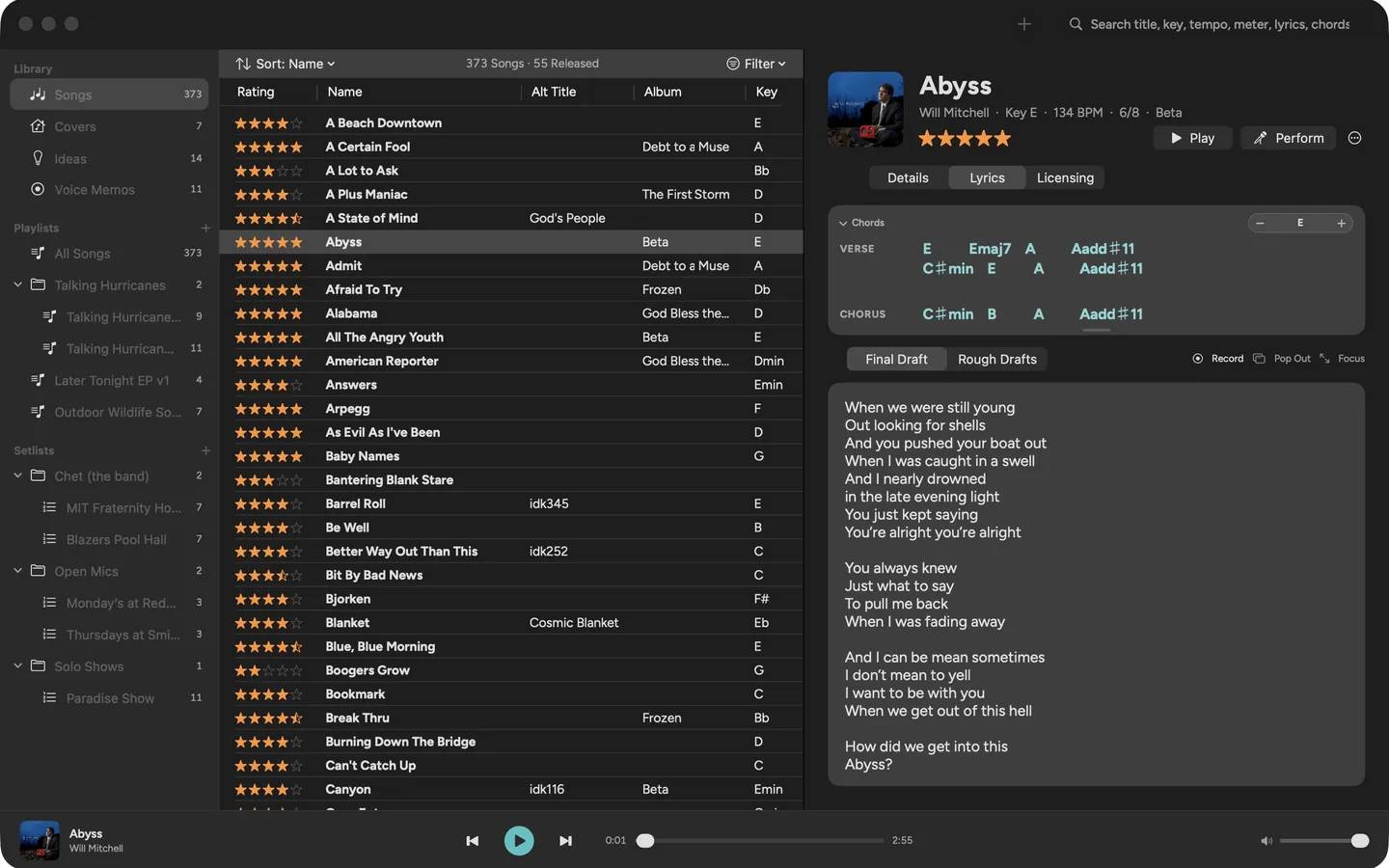
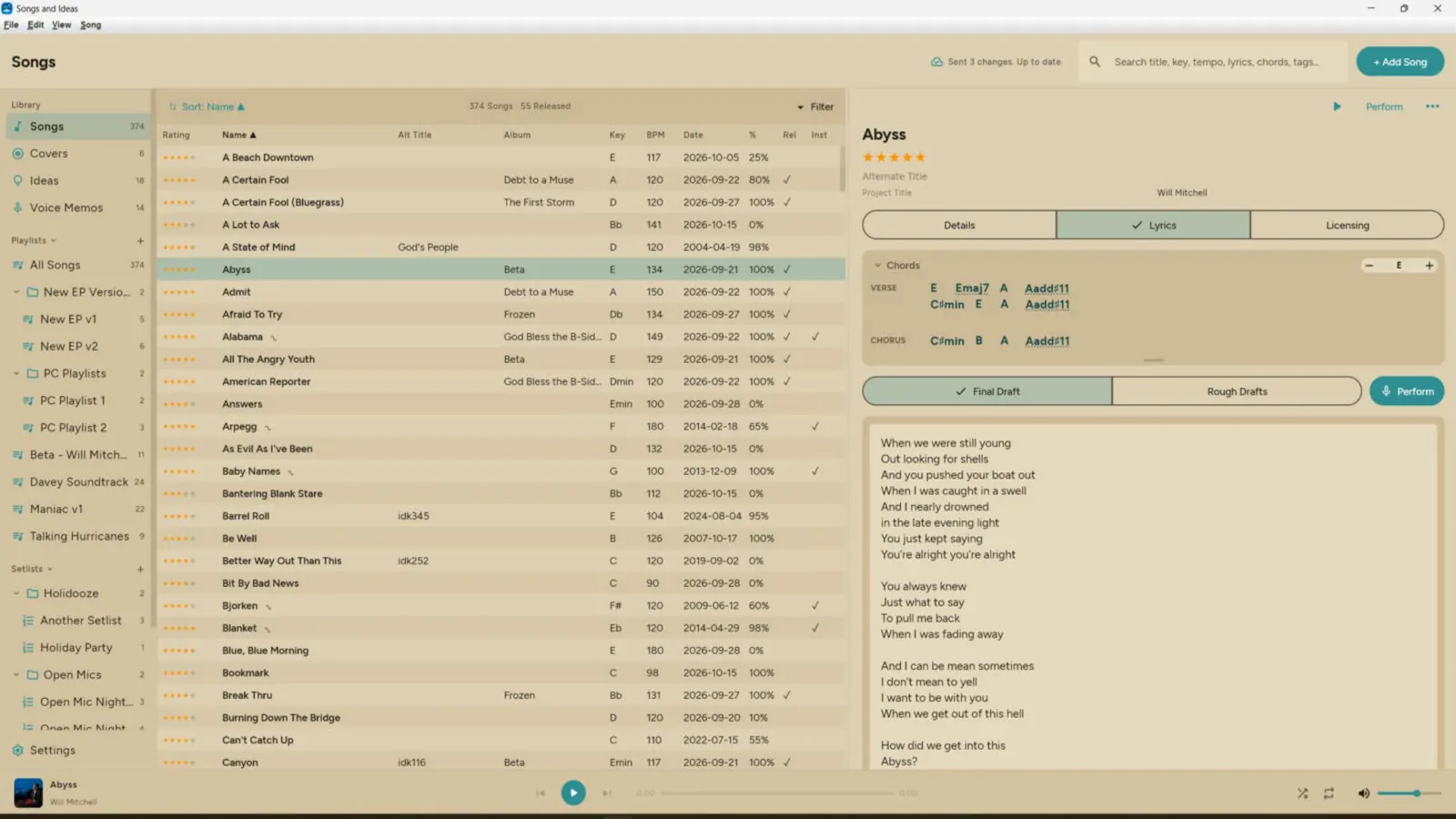
Songs and Ideas on Mac: the song library on the left and the song Abyss open to its chords and lyrics
Every screenshot on this page is the real app.

Everything in its place

From the first hummed idea to the night you play it live, each part of the song has a home.

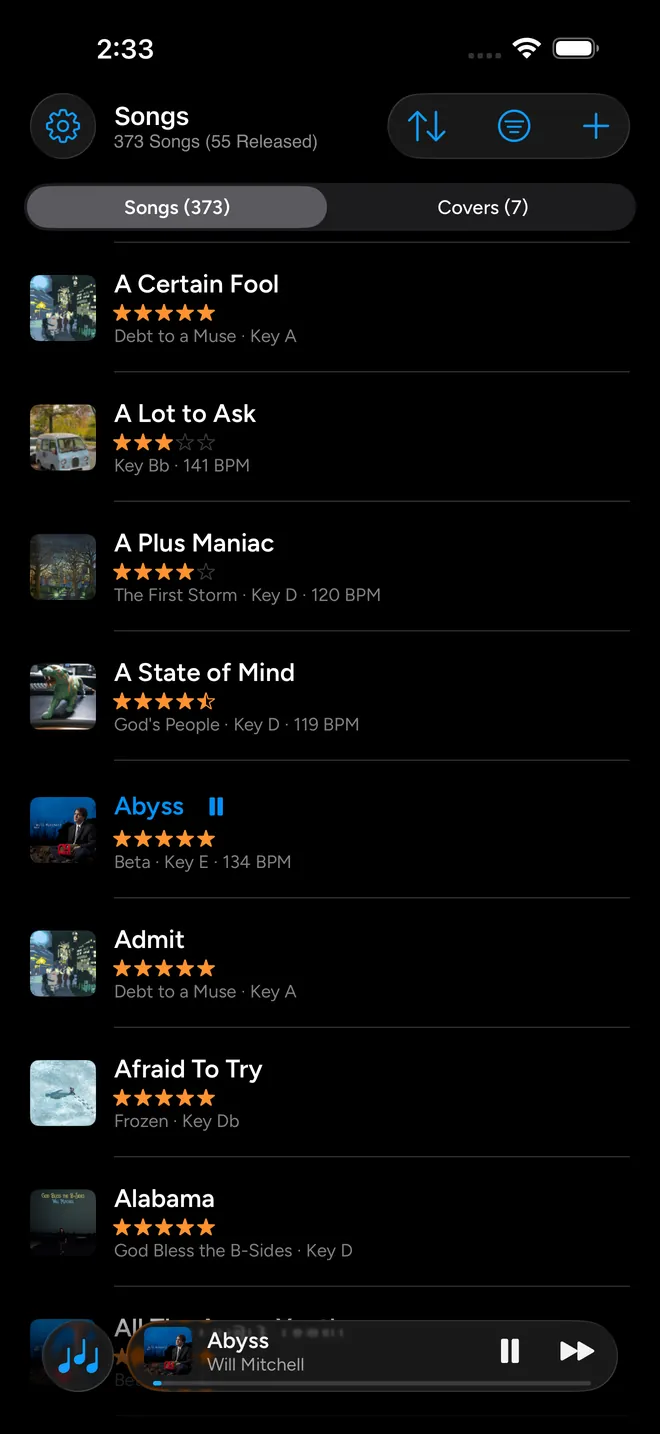
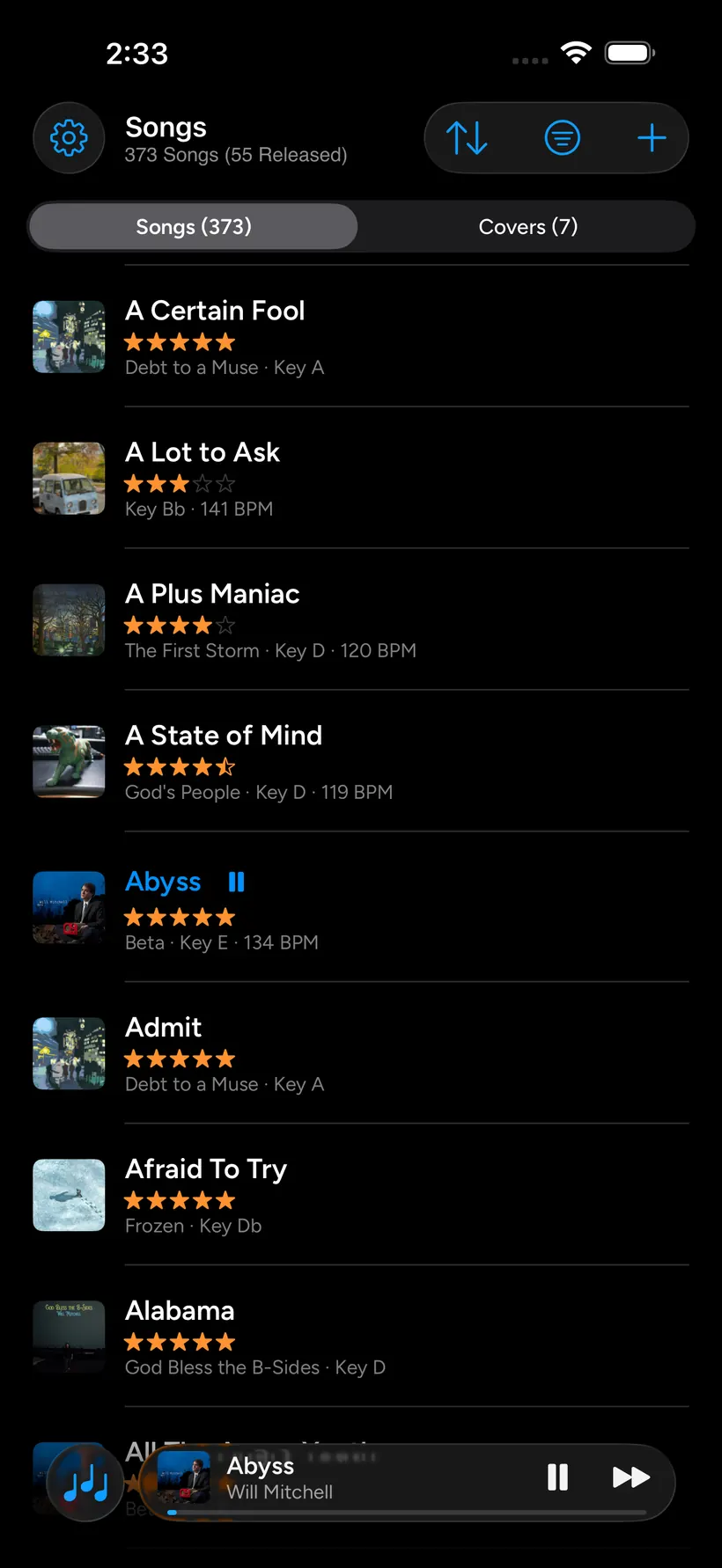
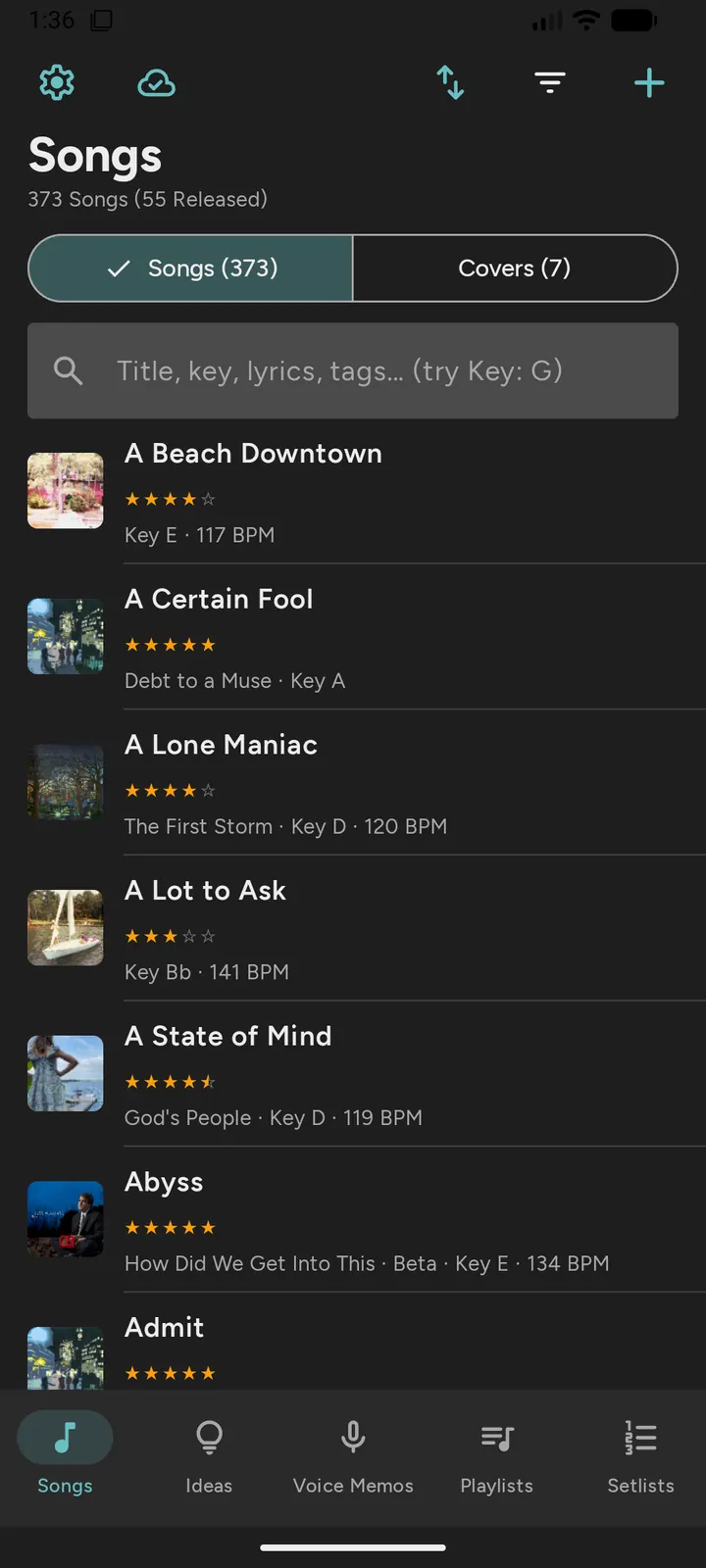
The Songs list on iPhone, with album art, ratings, keys and tempos
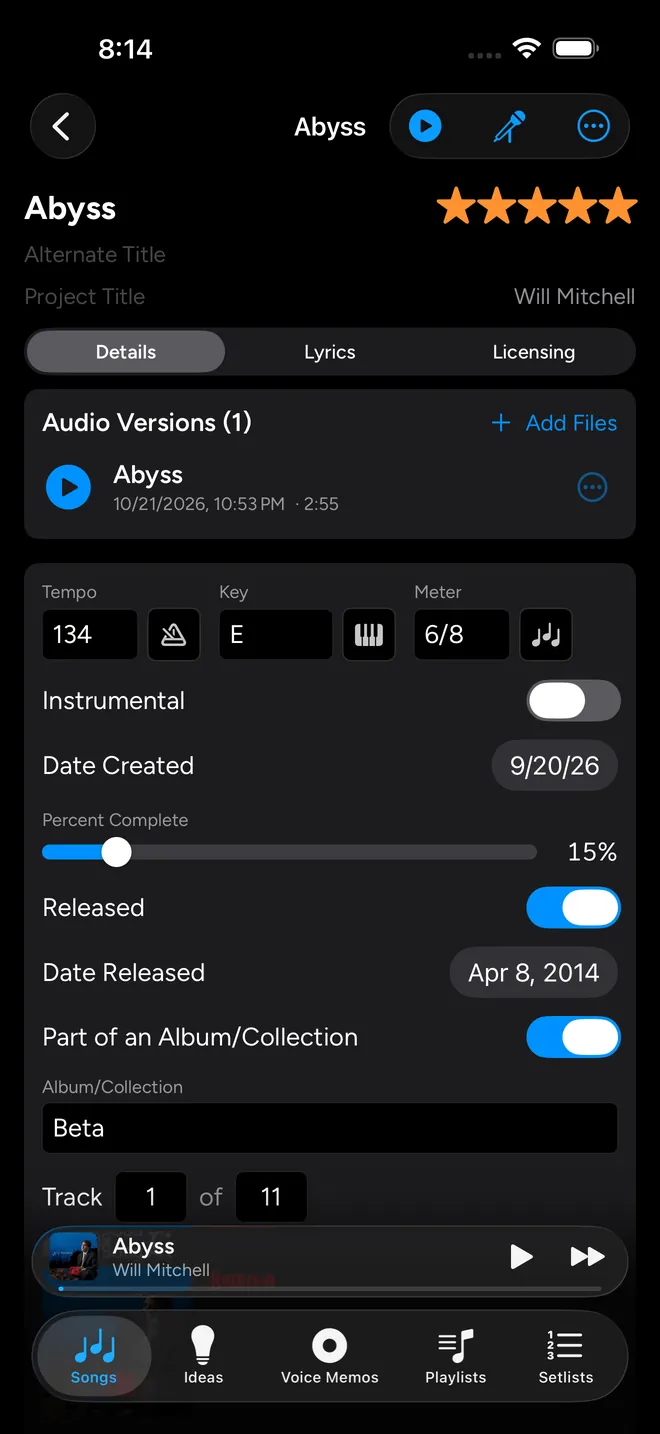
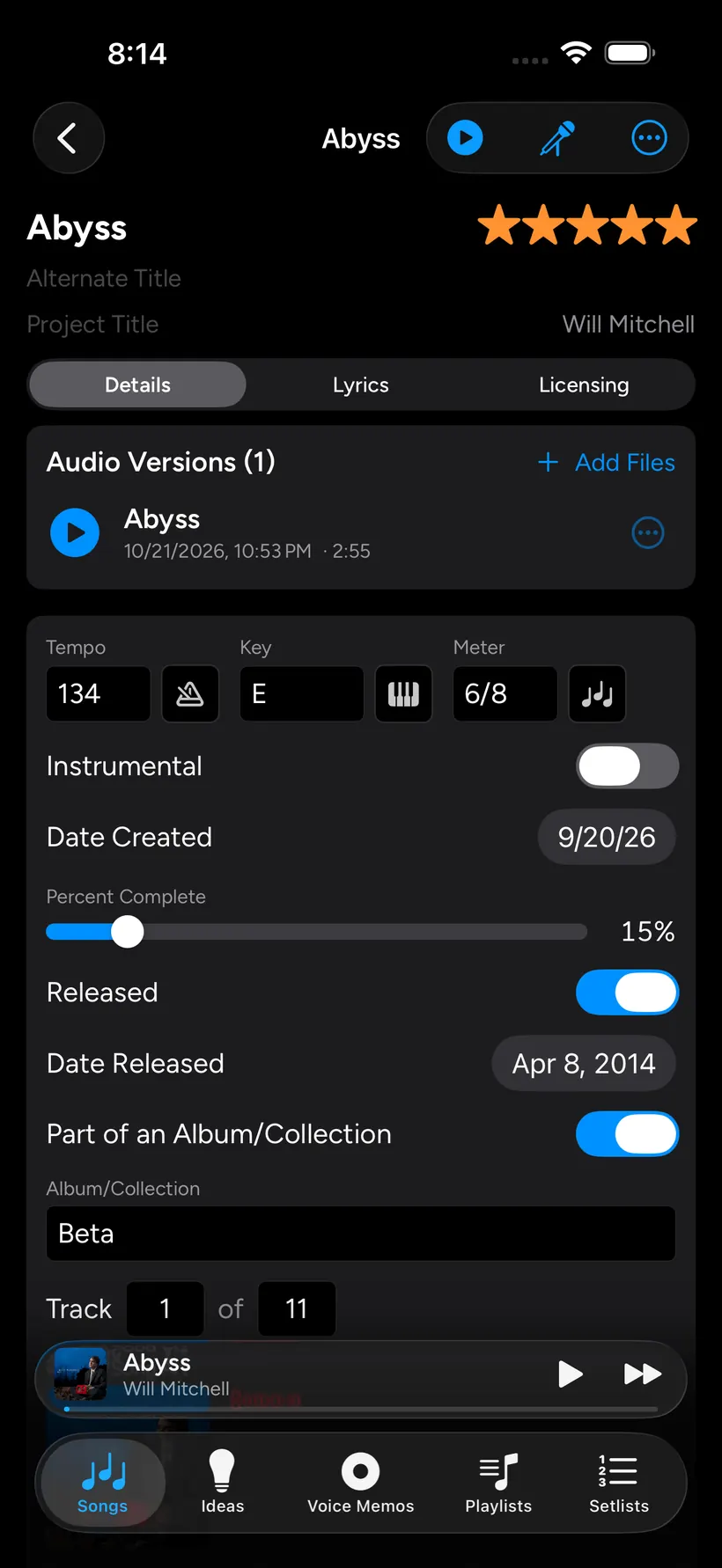
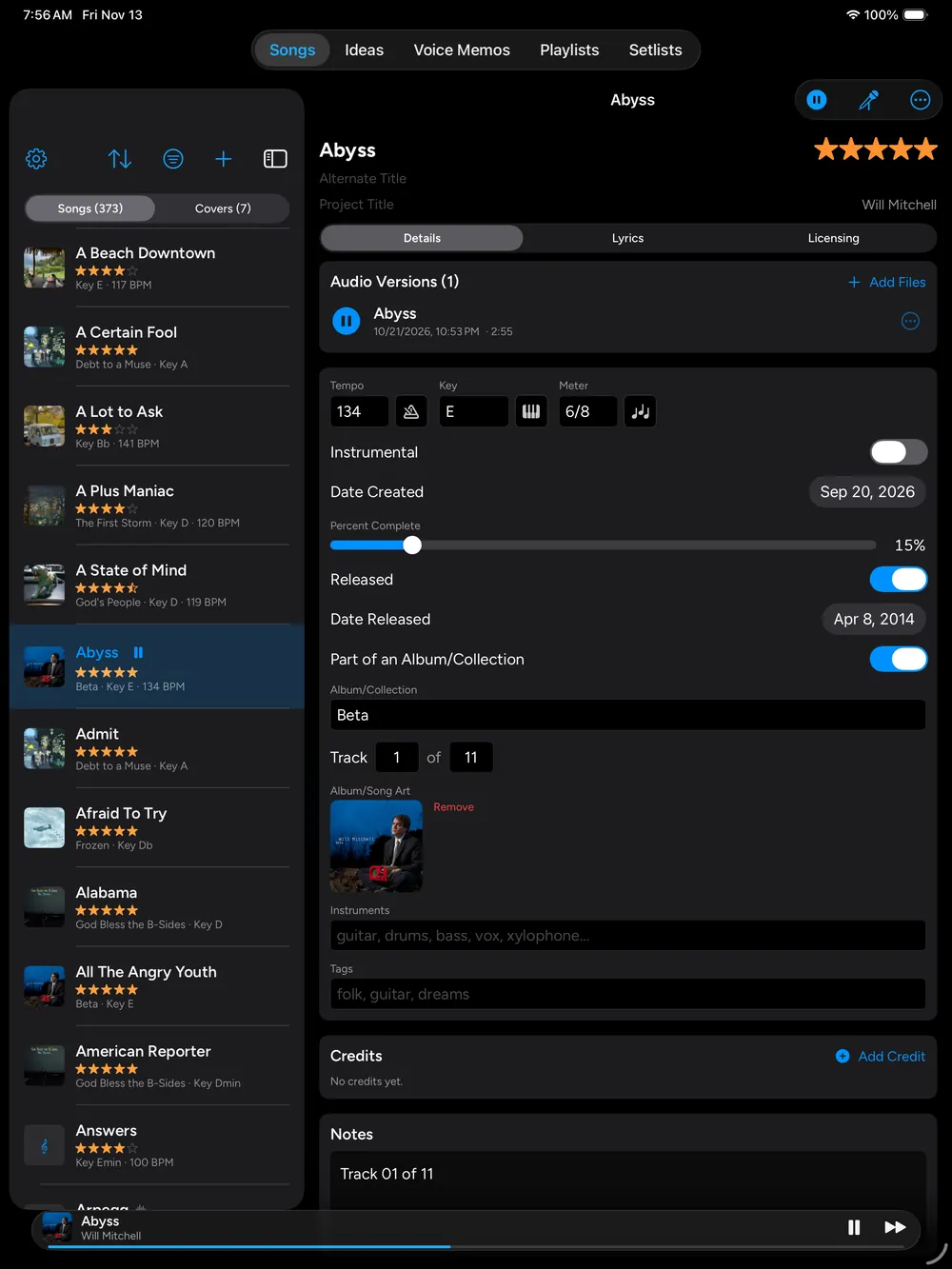
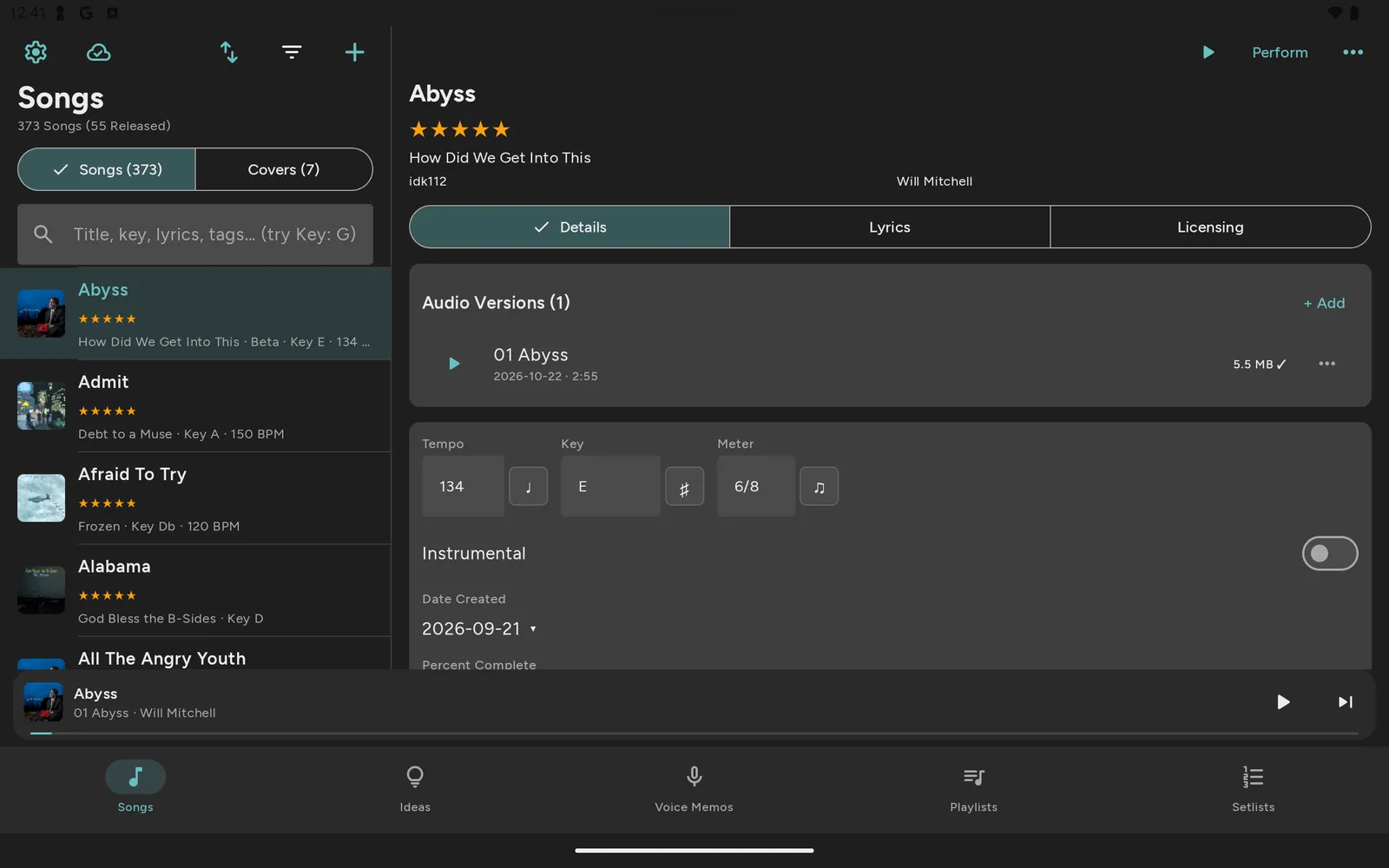
The song Abyss on iPhone with its audio version, tempo, key, meter and release details
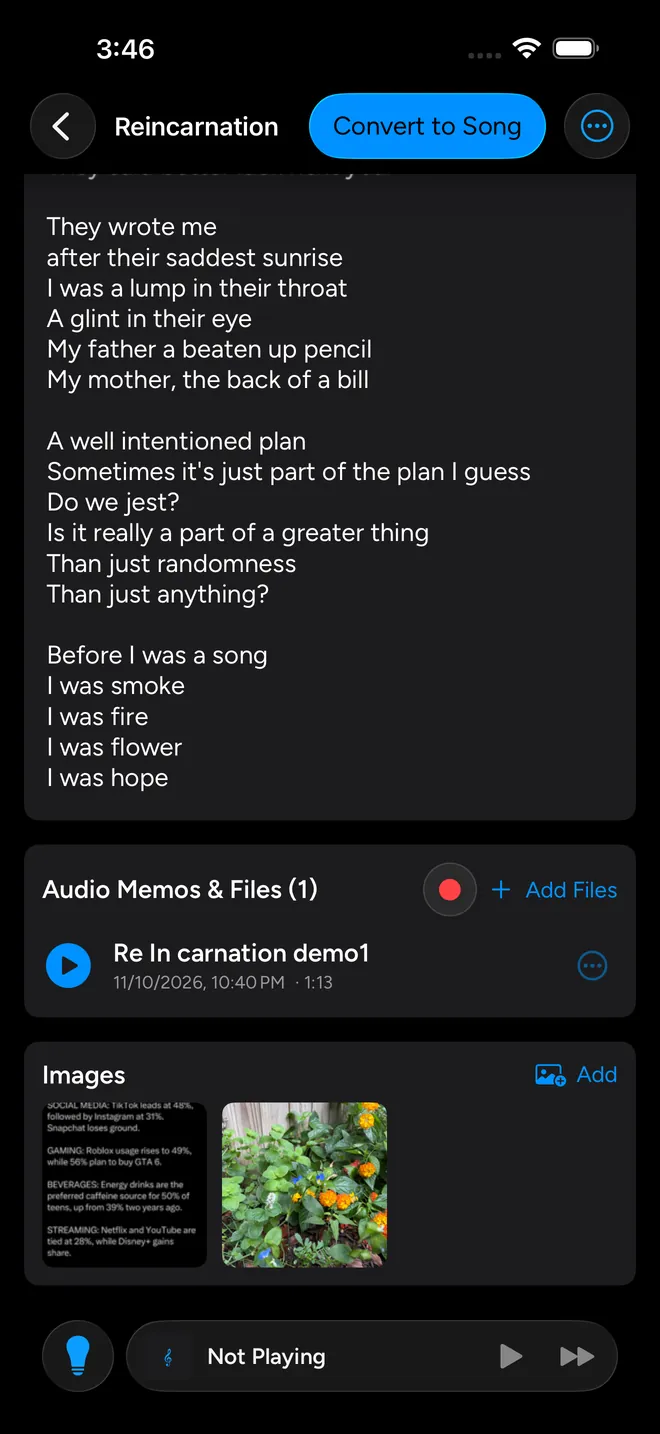
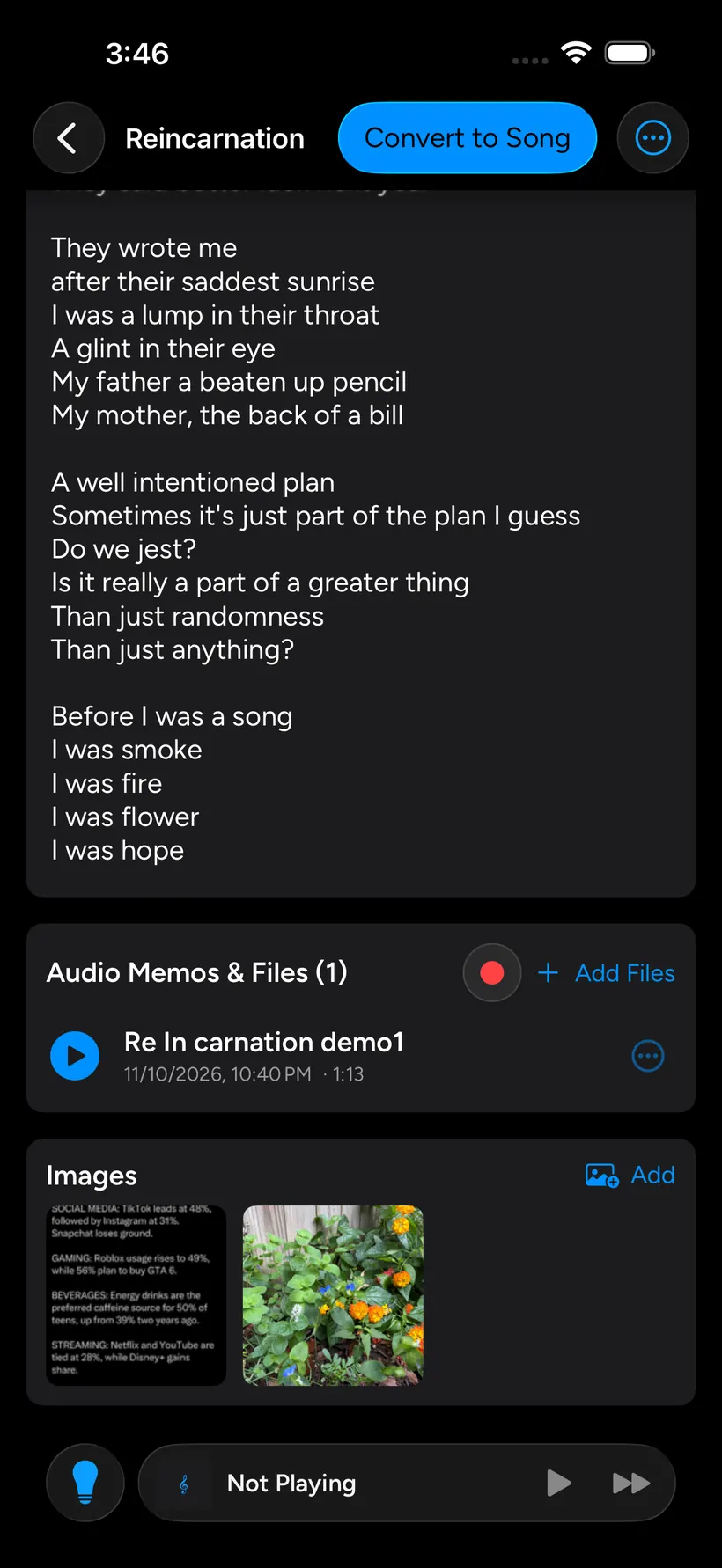
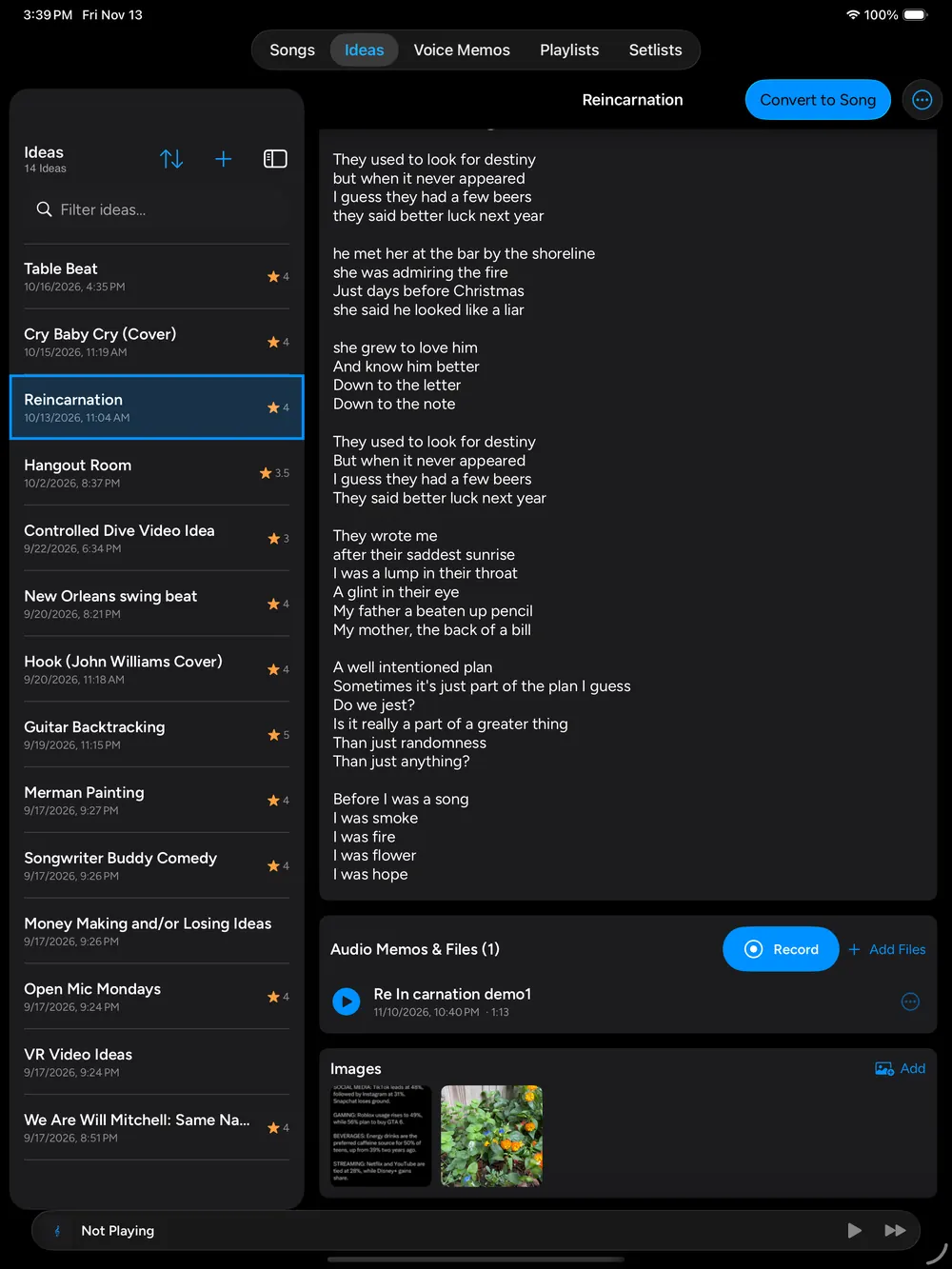
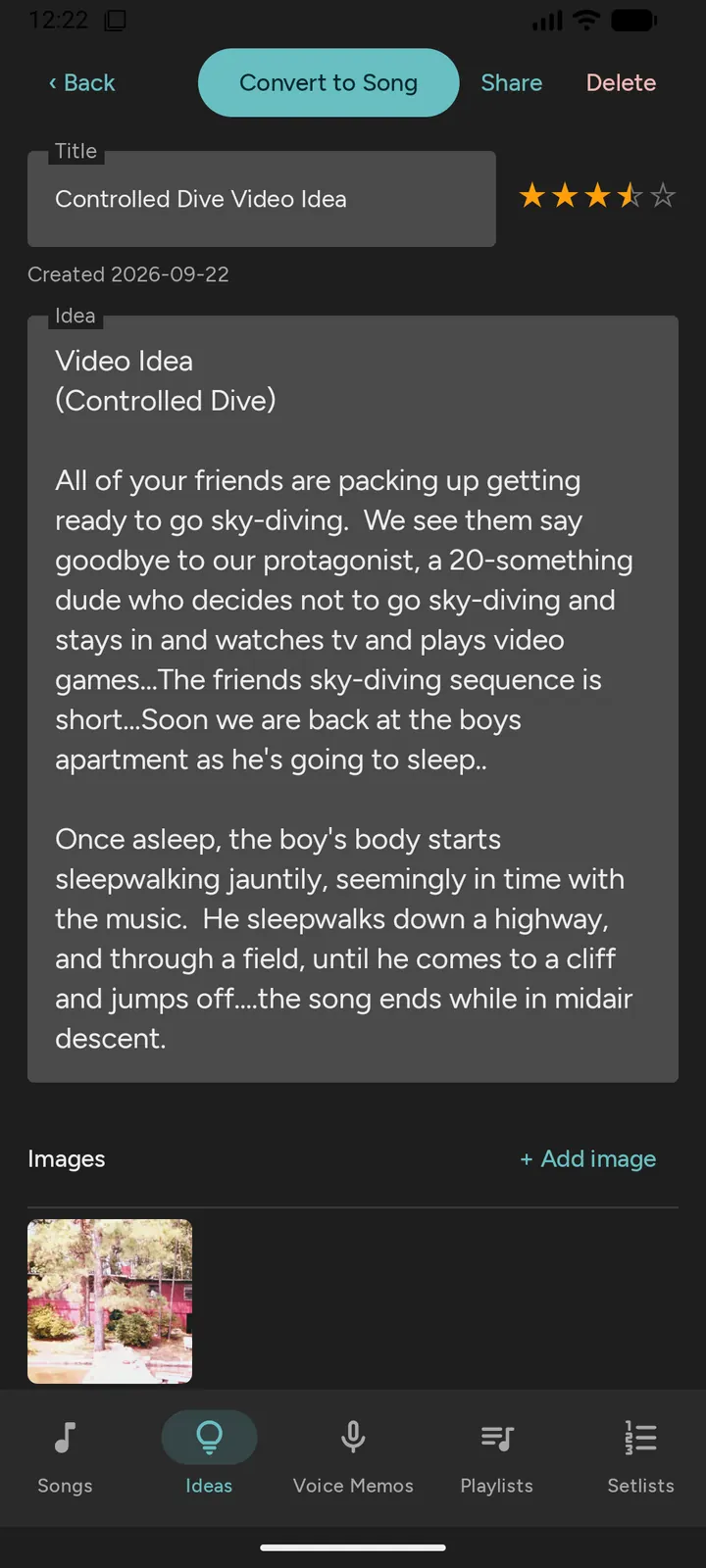
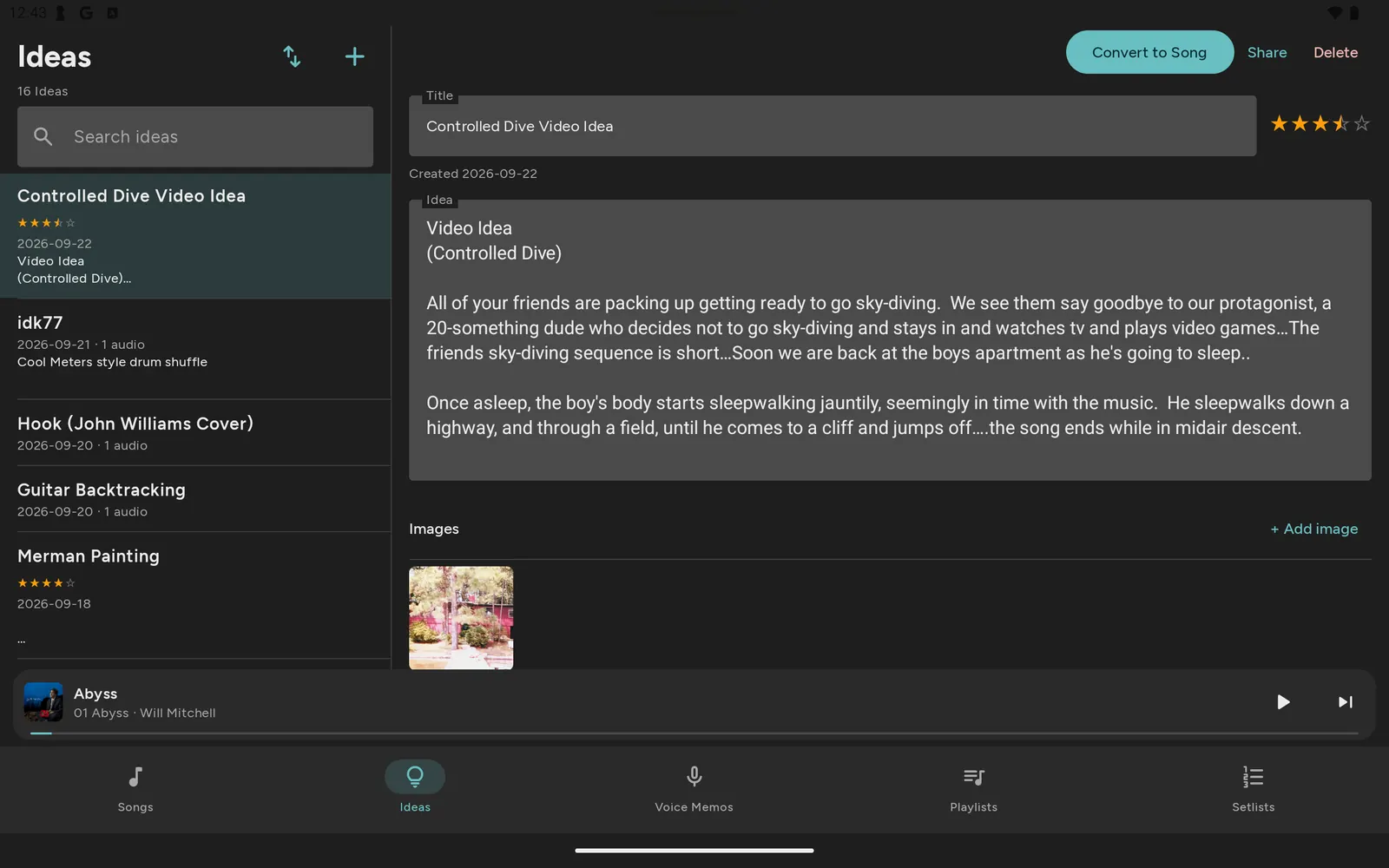
An idea on iPhone with its lyrics, a voice memo and photos
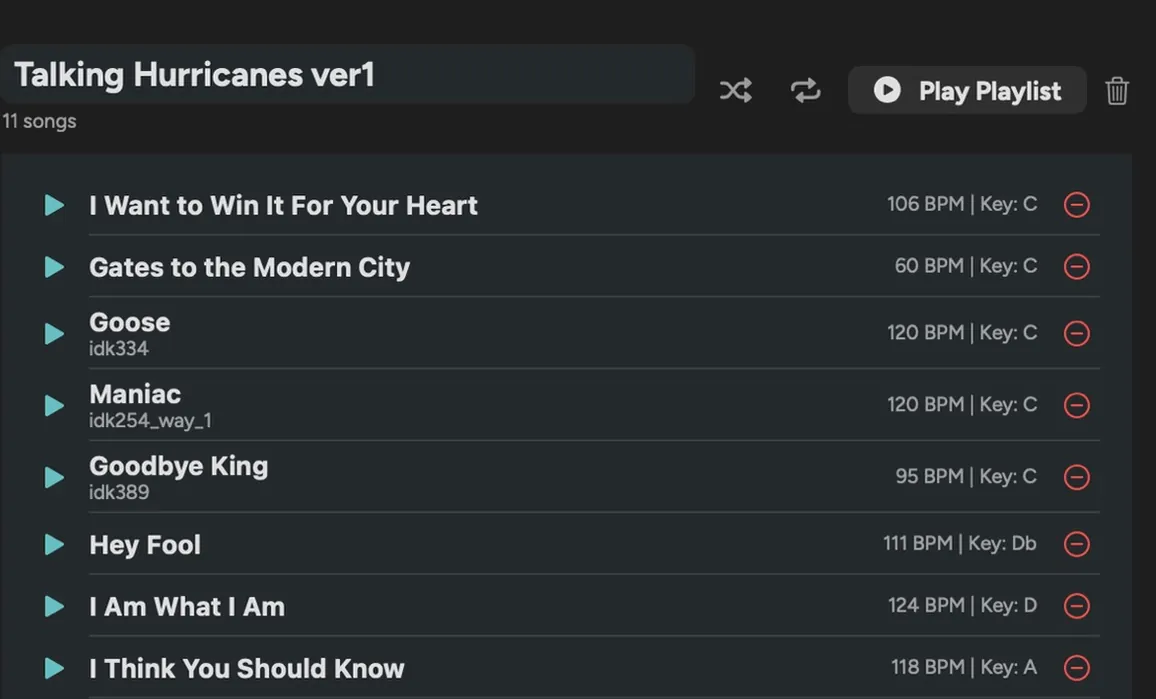
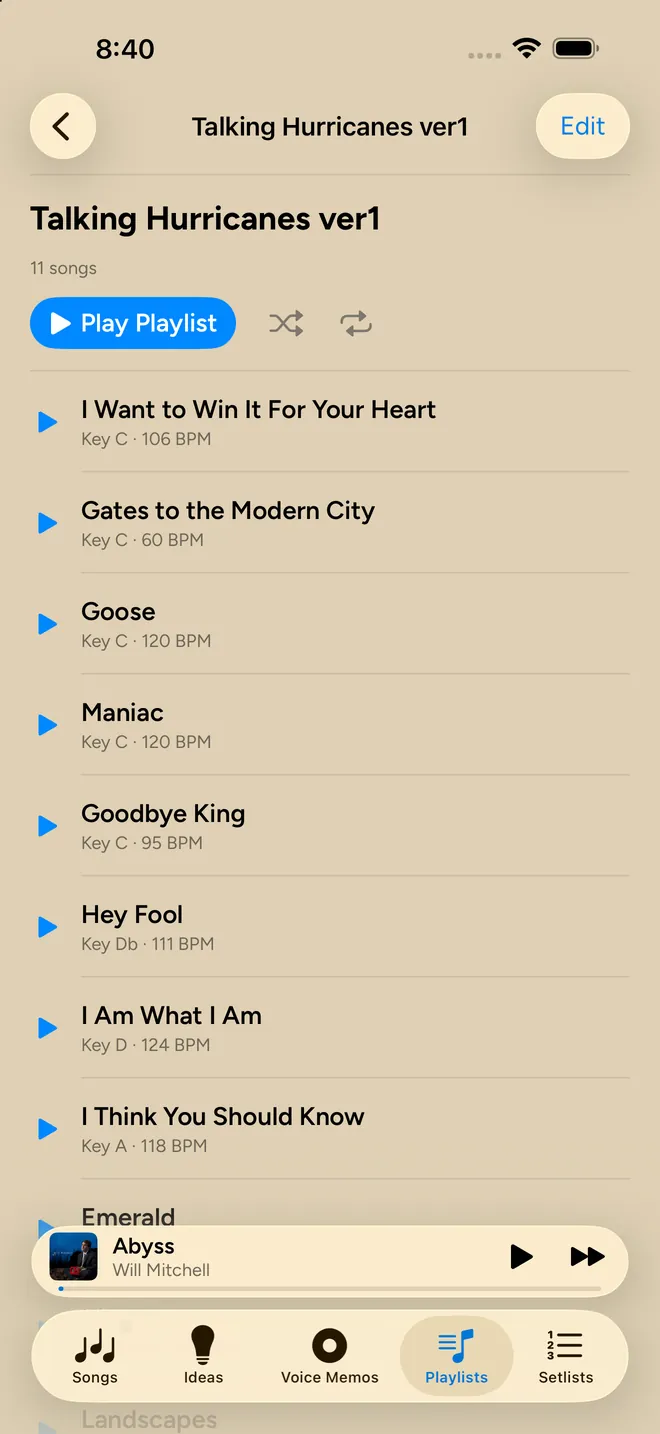
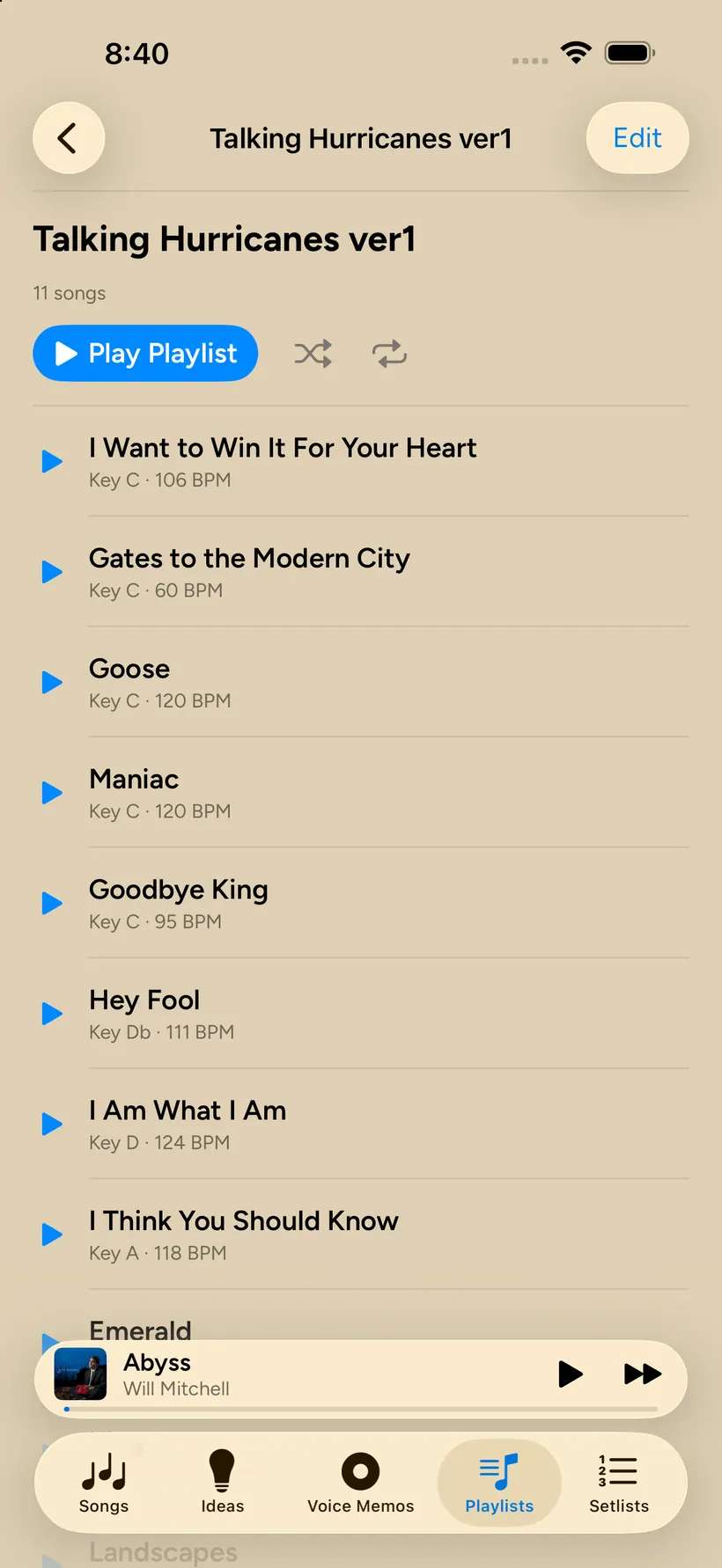
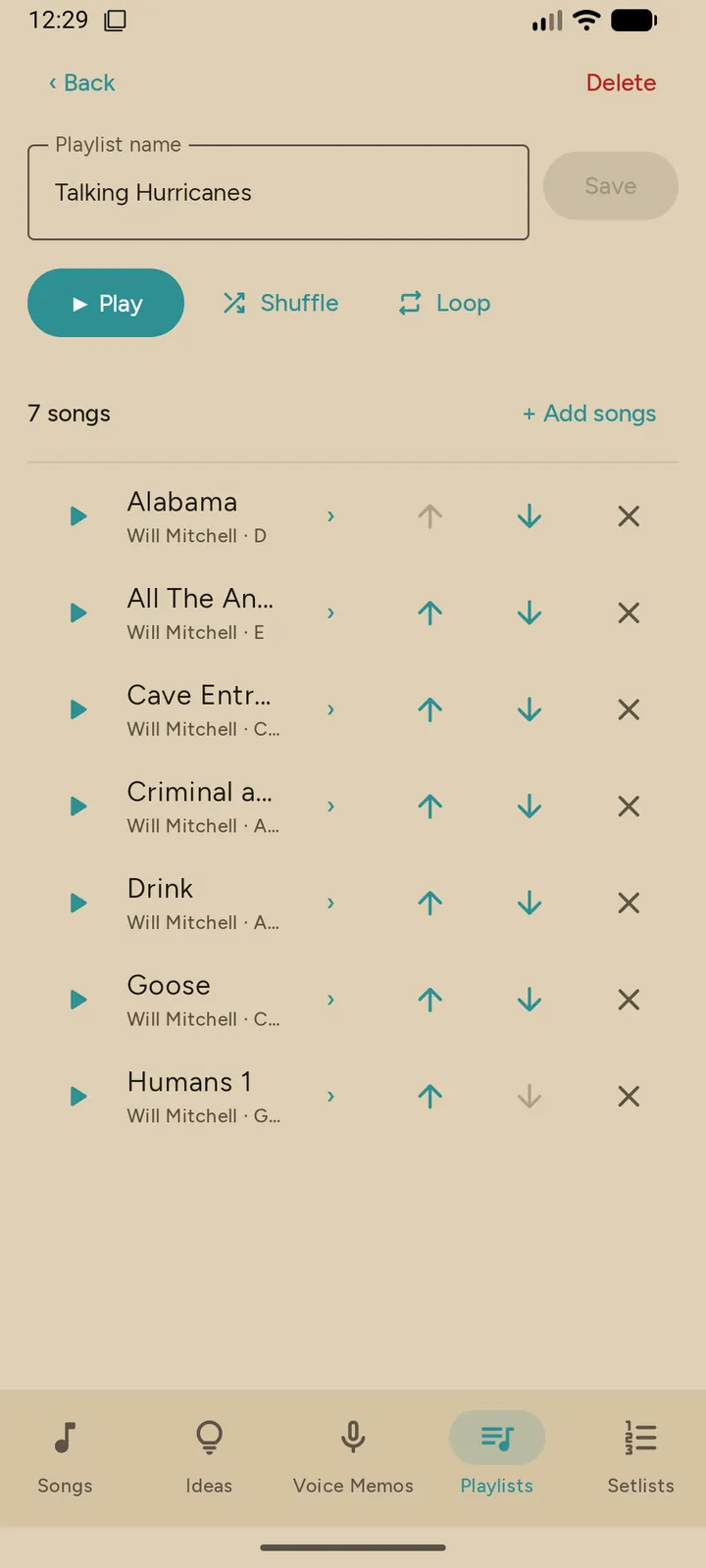
A playlist on iPhone with a Play Playlist button
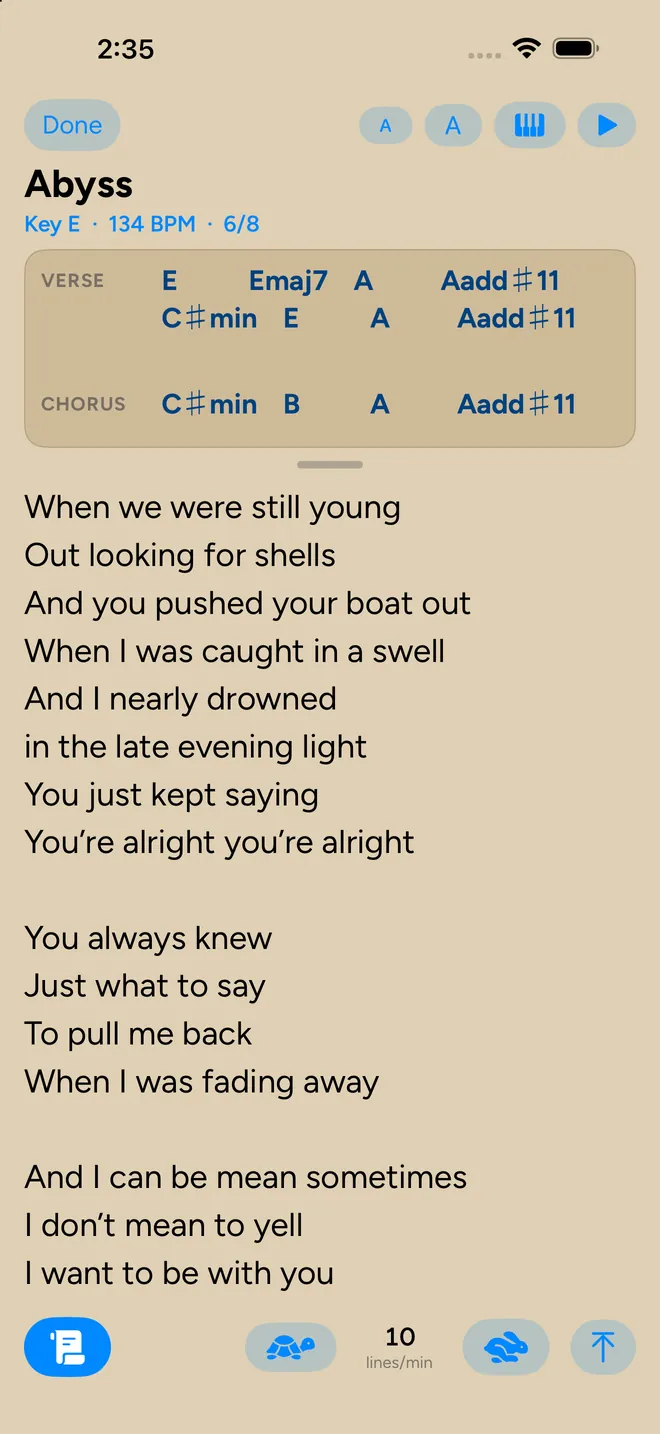
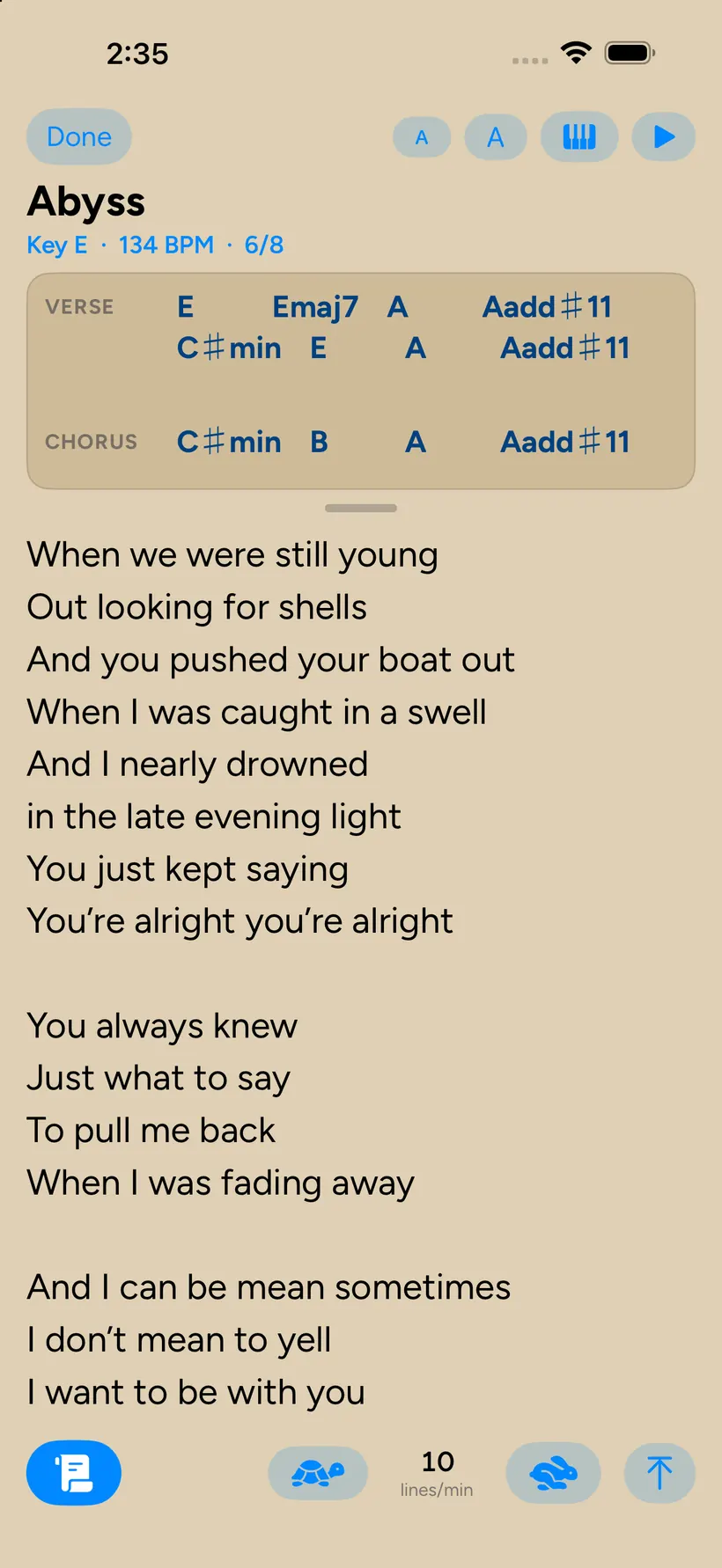
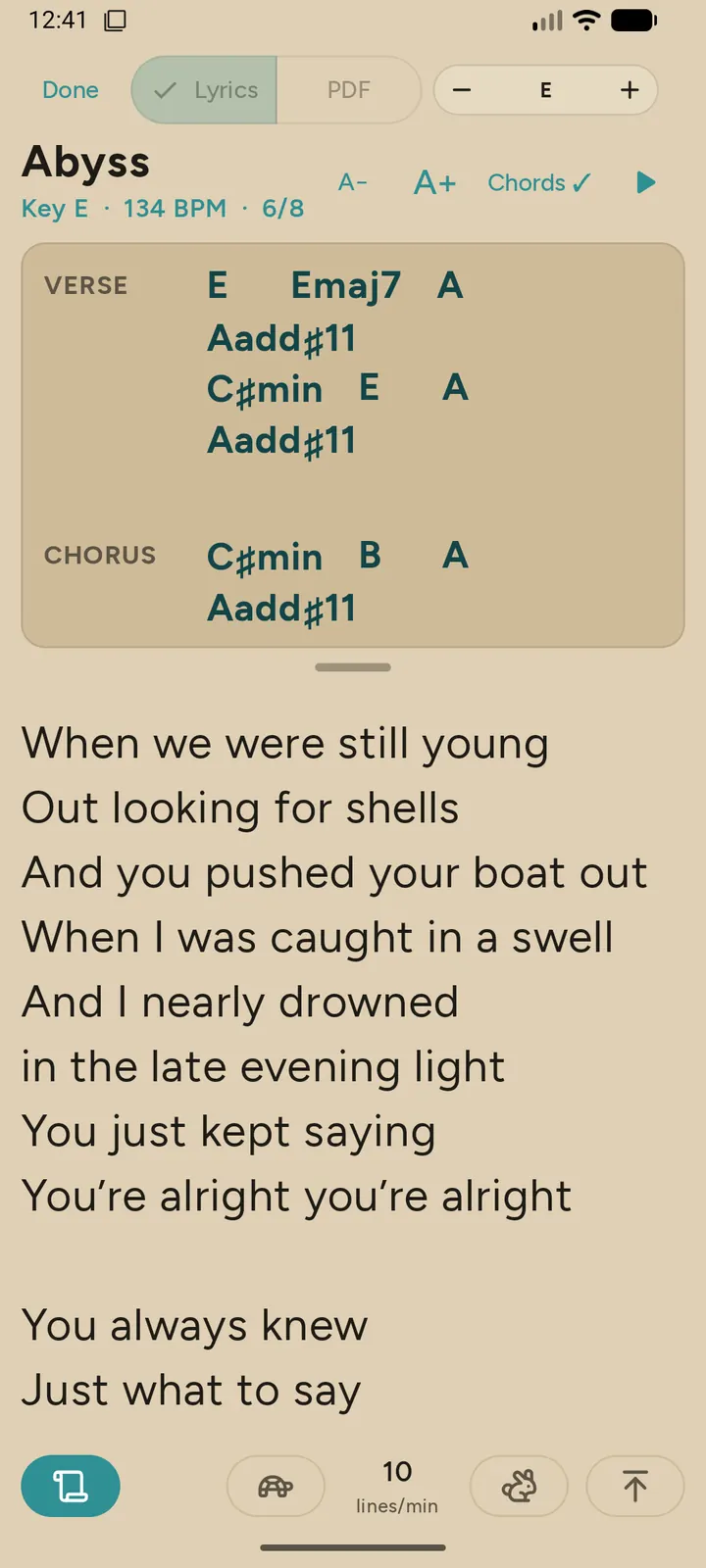
Performance Mode on iPhone with chords above large lyrics and auto-scroll controls
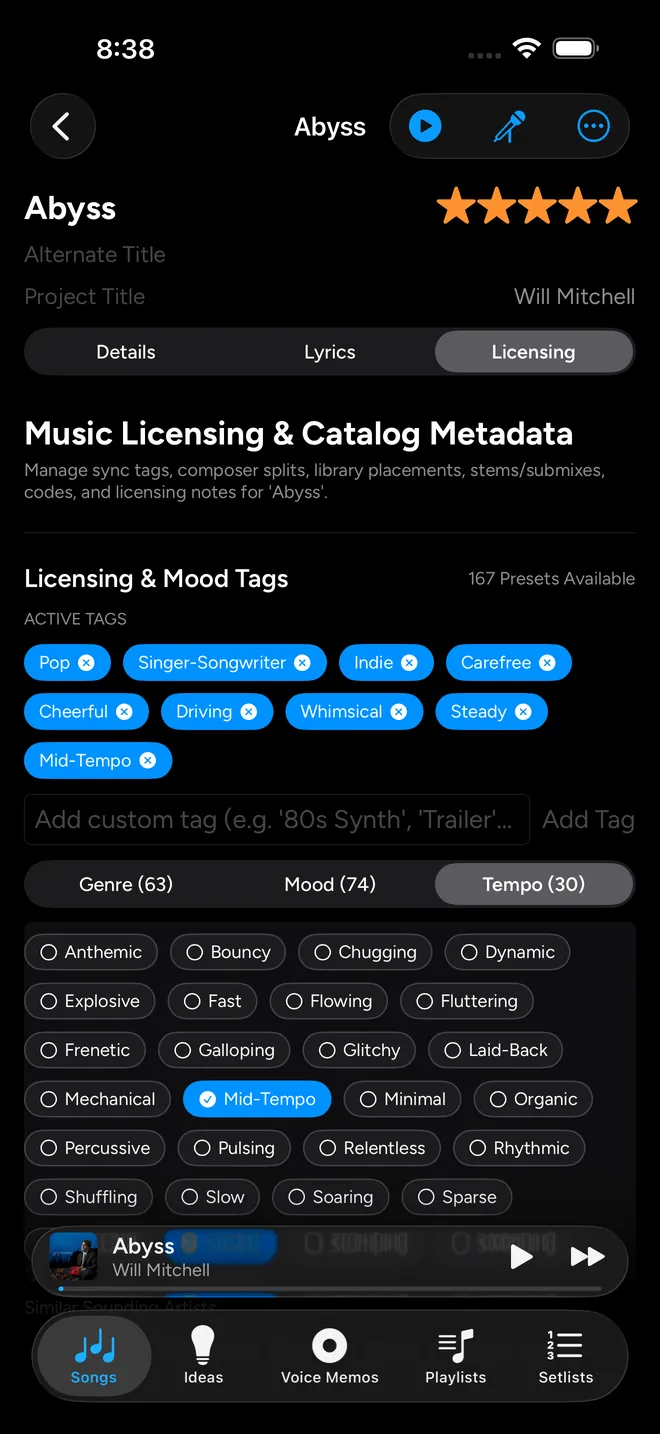
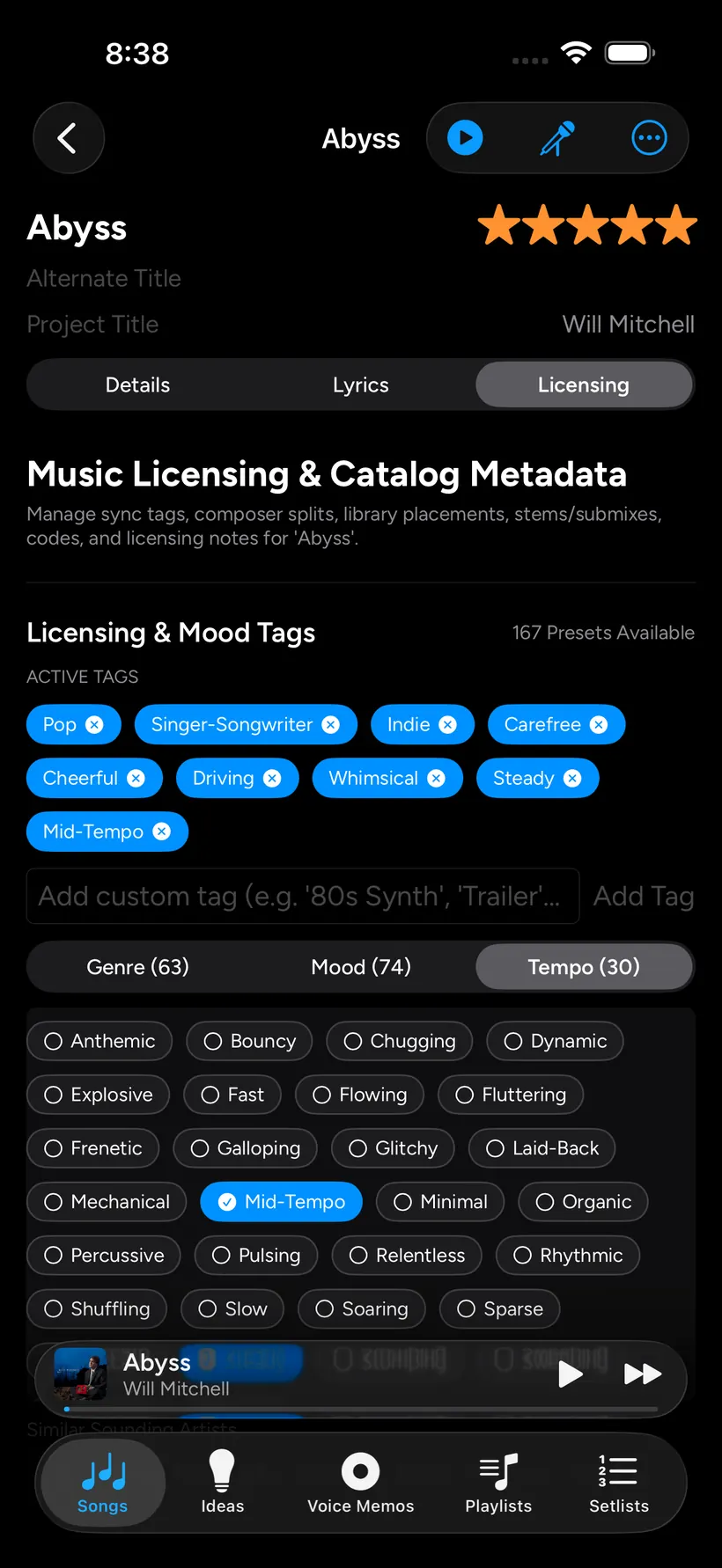
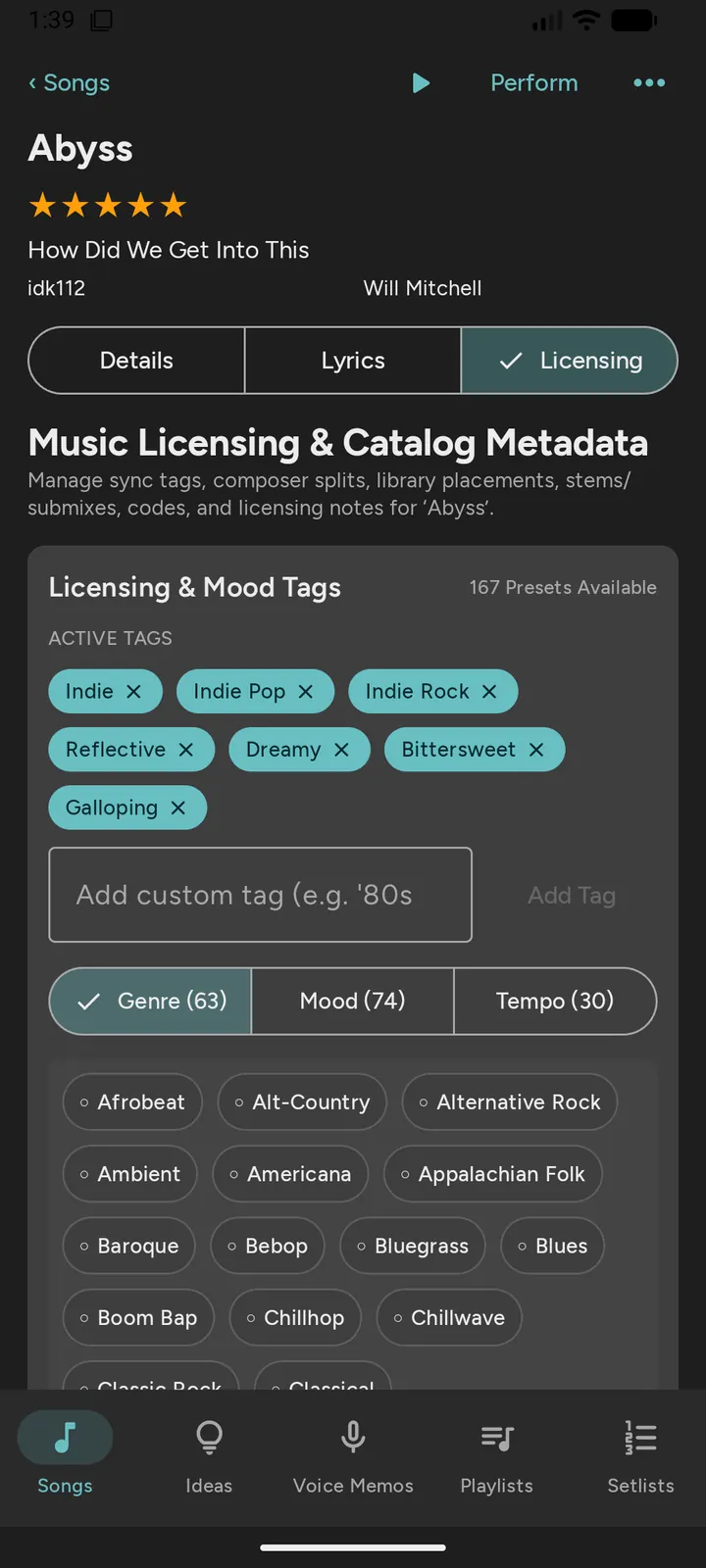
The Licensing tab on iPhone with mood and genre tags for the song Abyss

One library, every device

Songs and Ideas runs on iPhone, iPad, Mac, Android and Windows. Start a song on your phone and finish it at your desk.

A closer look

Built for songwriters who have voice memos in one app, lyrics in another and chord charts on paper.

Everything about a song, on one page

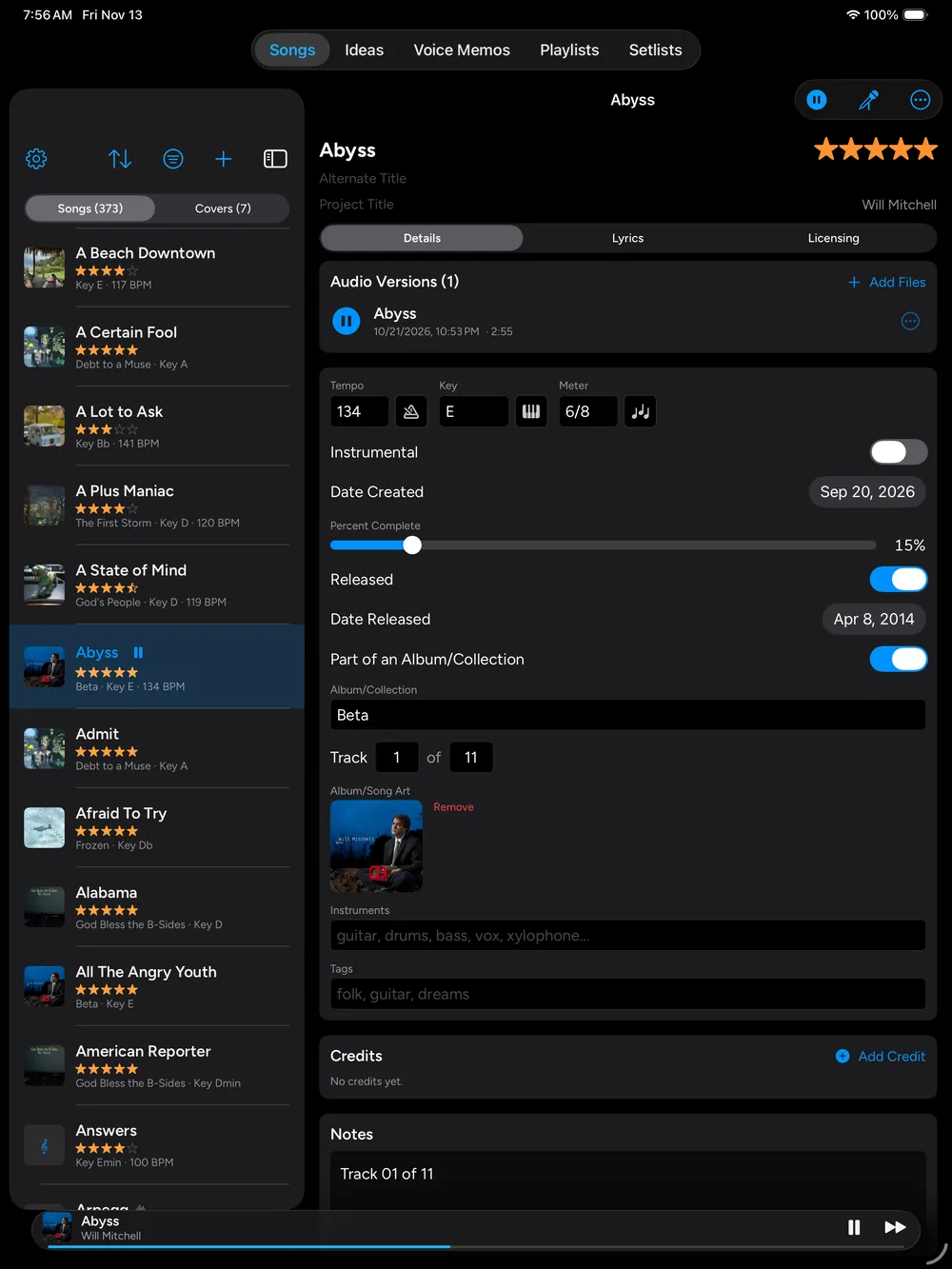
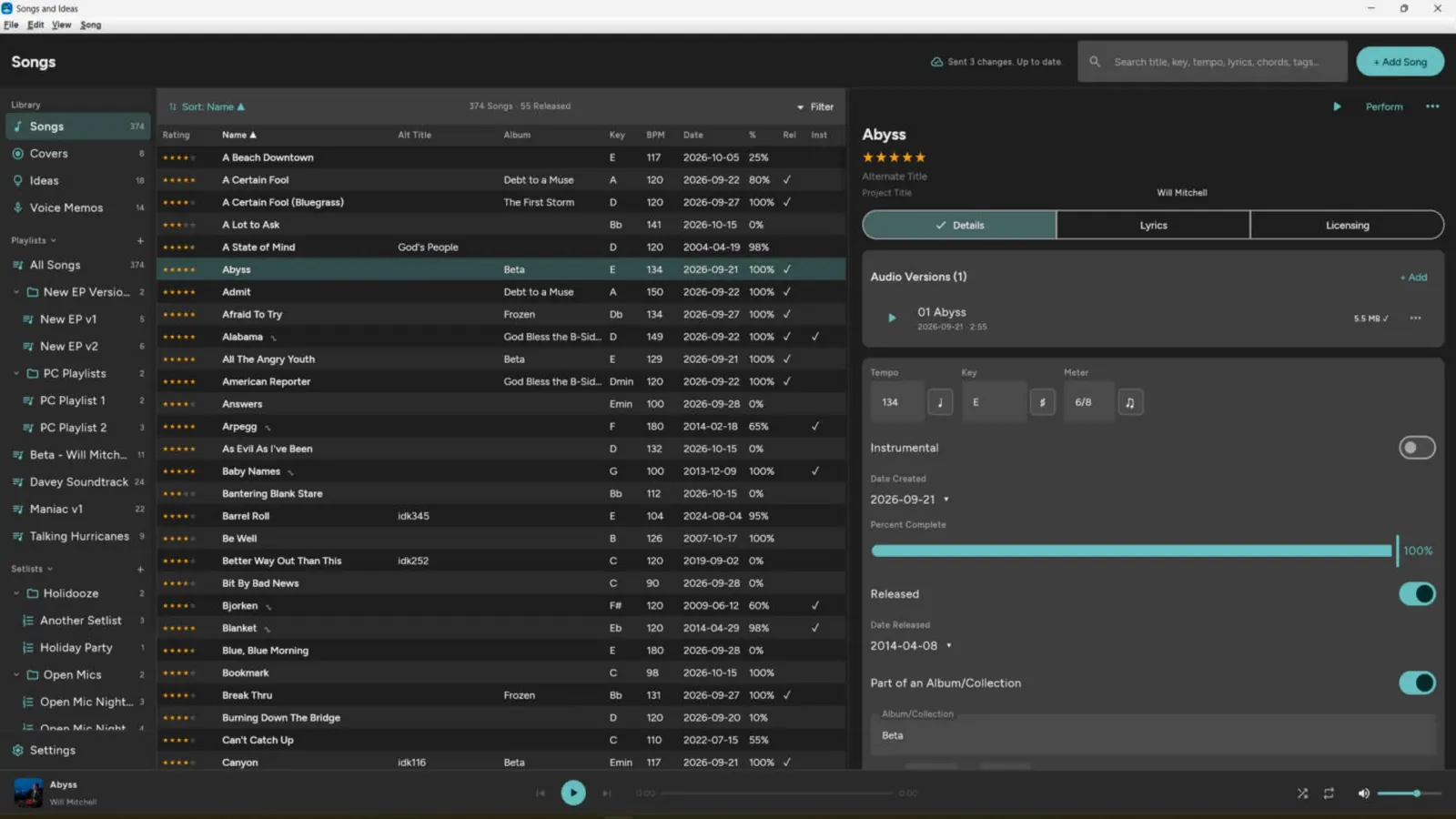
Each song keeps its whole story: every recorded version, the sheet music, who played on it and what it's about.

  • Every audio version, from the first demo to the final master, with built-in trimming
  • Find Key and Find Tempo help fill in the details
  • Scores and PDFs, ready to preview
  • Credits, notes and release details
The song Abyss on iPad with its audio version, tempo, key, meter, release date and album details

Ready for licensing

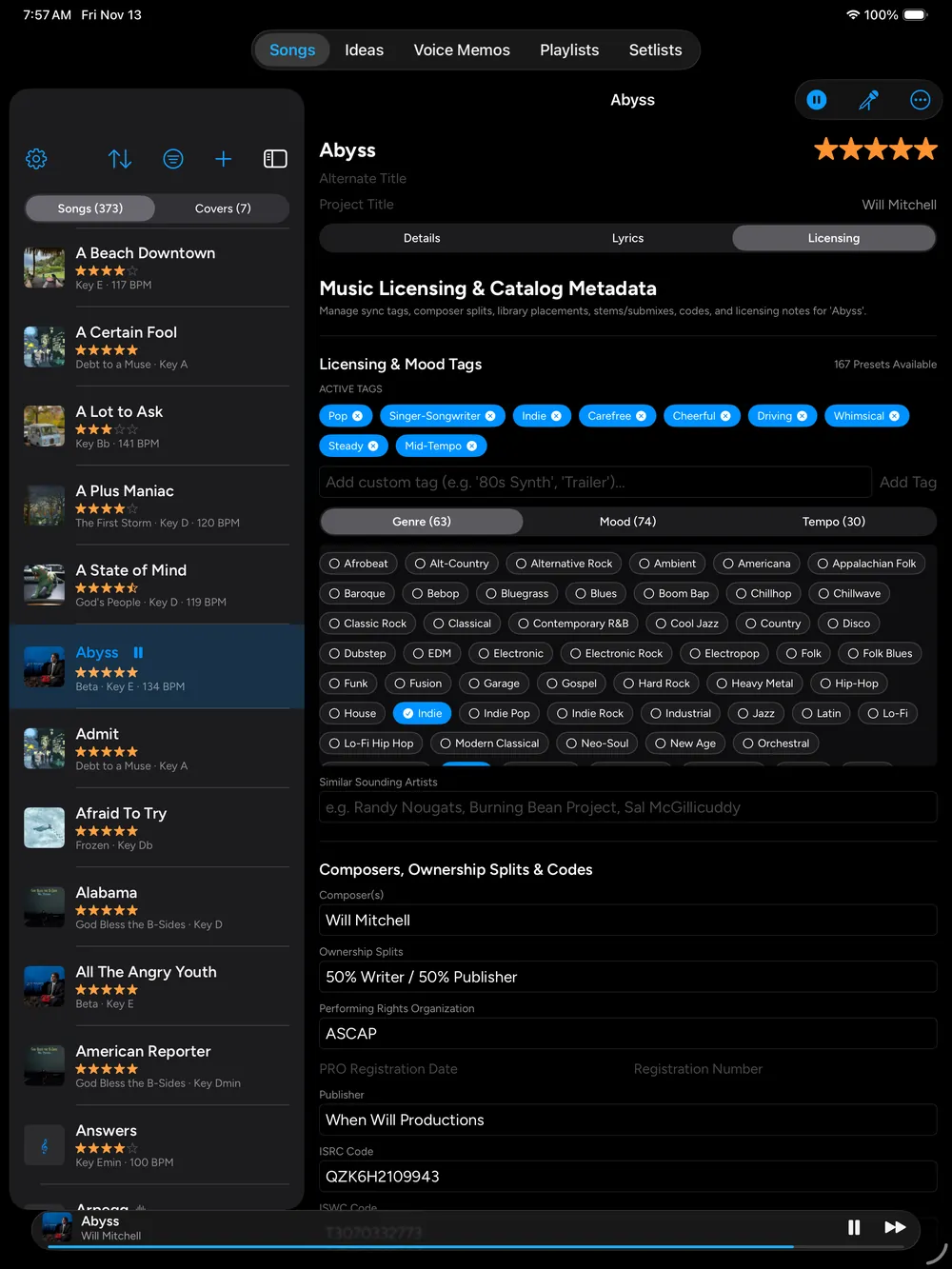
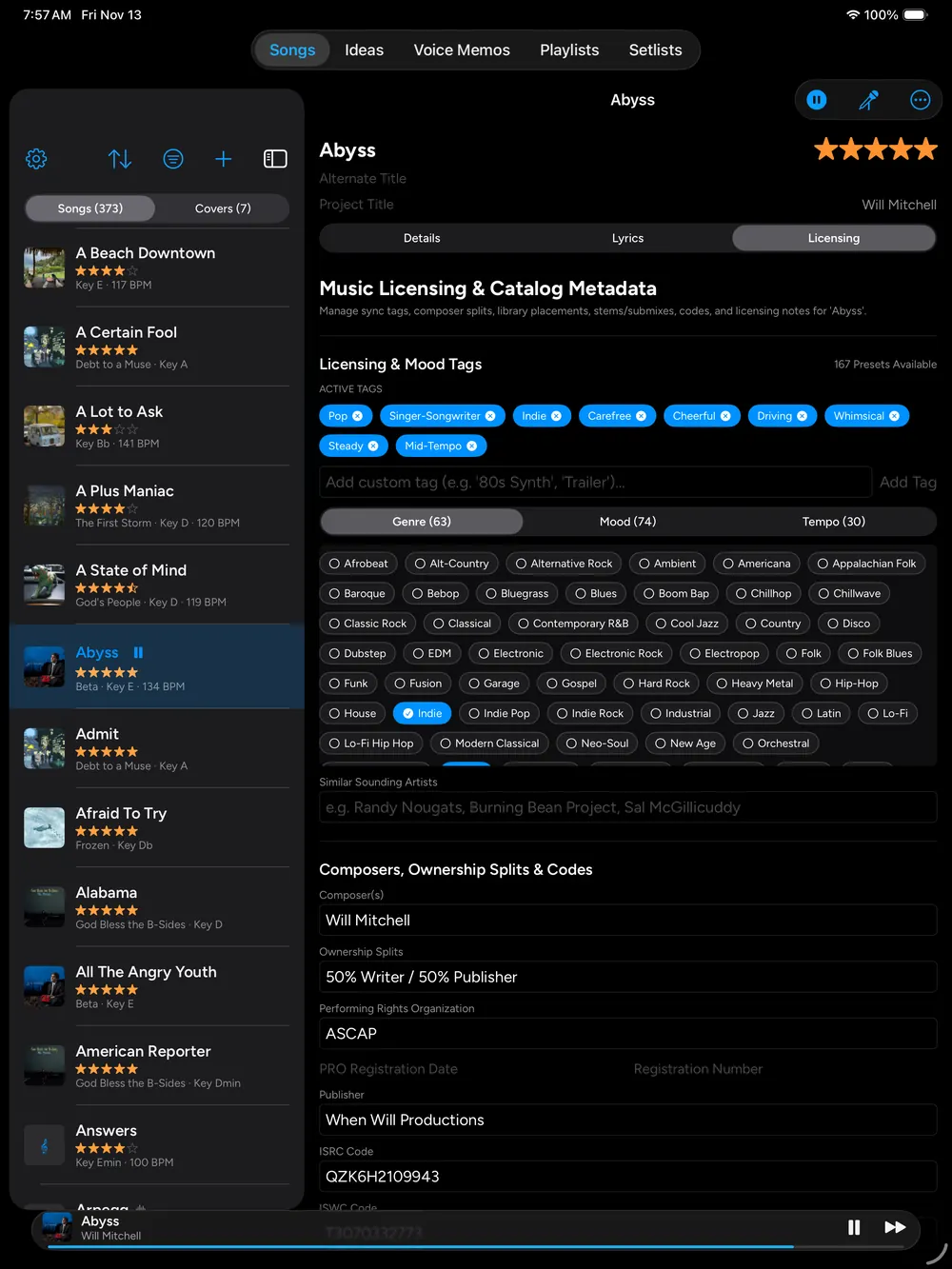
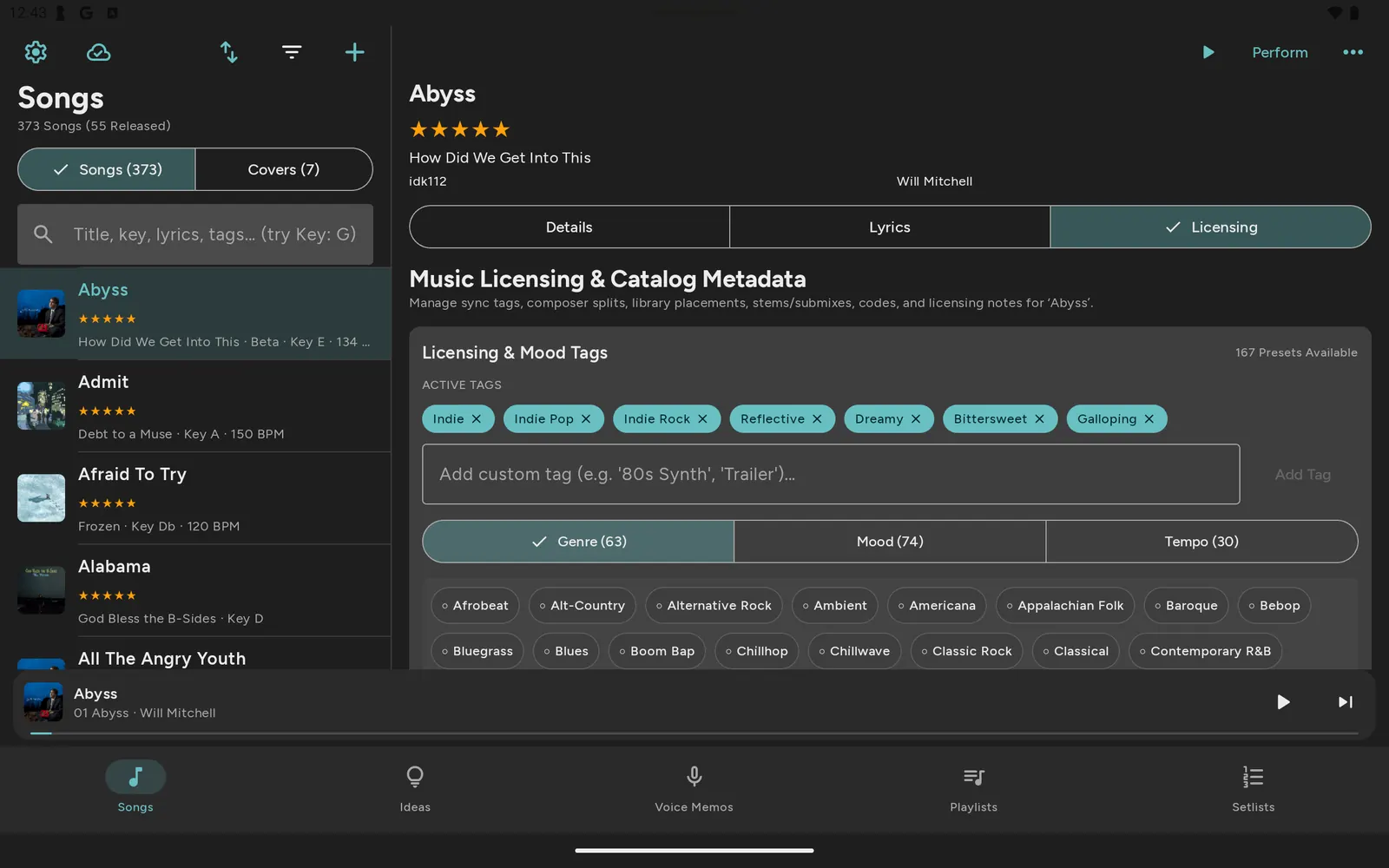
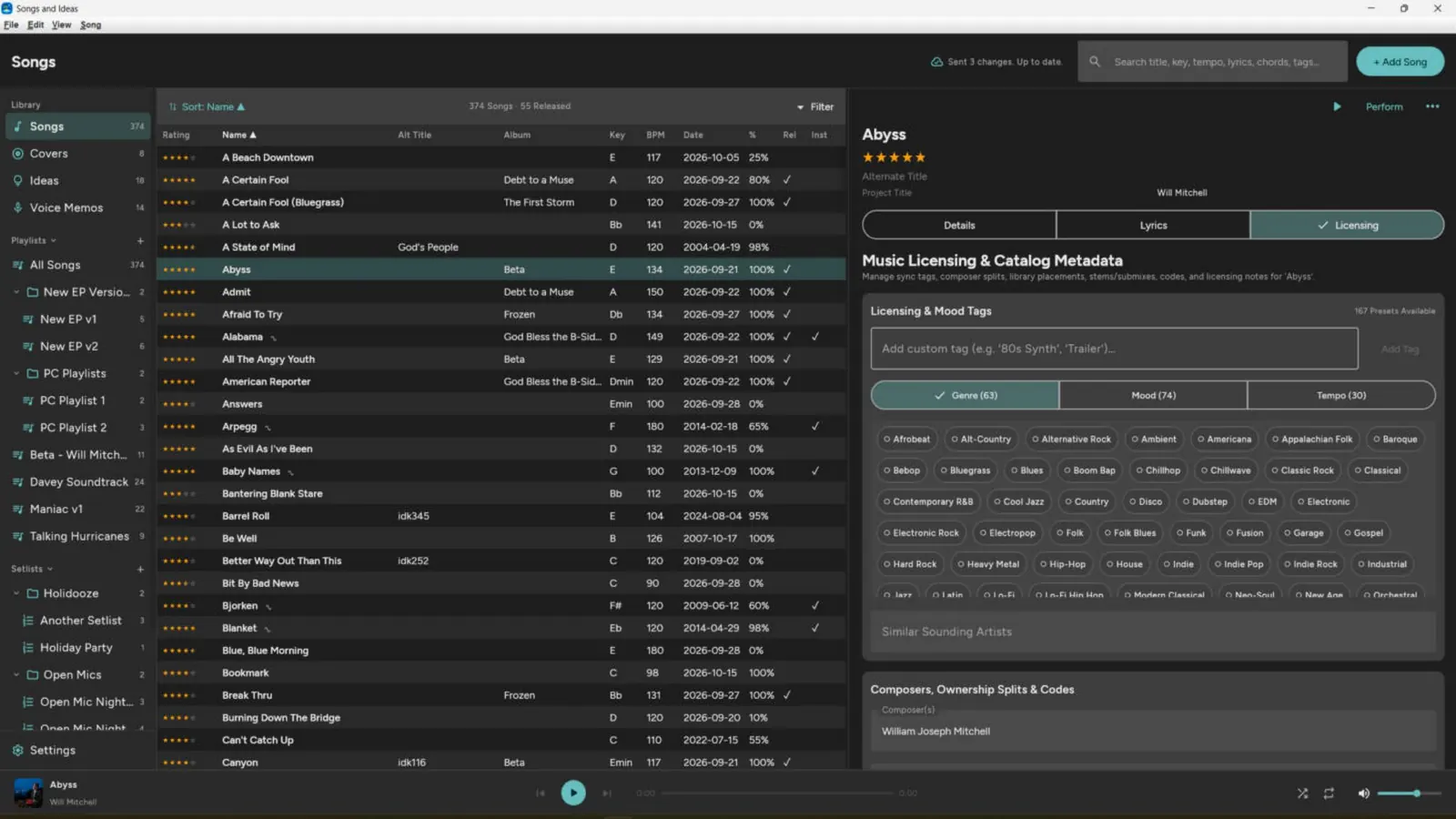
When a music supervisor asks for something "cheerful, driving, mid-tempo," you'll know which songs fit. Each song has a Licensing tab that keeps everything a sync deal needs in one place.

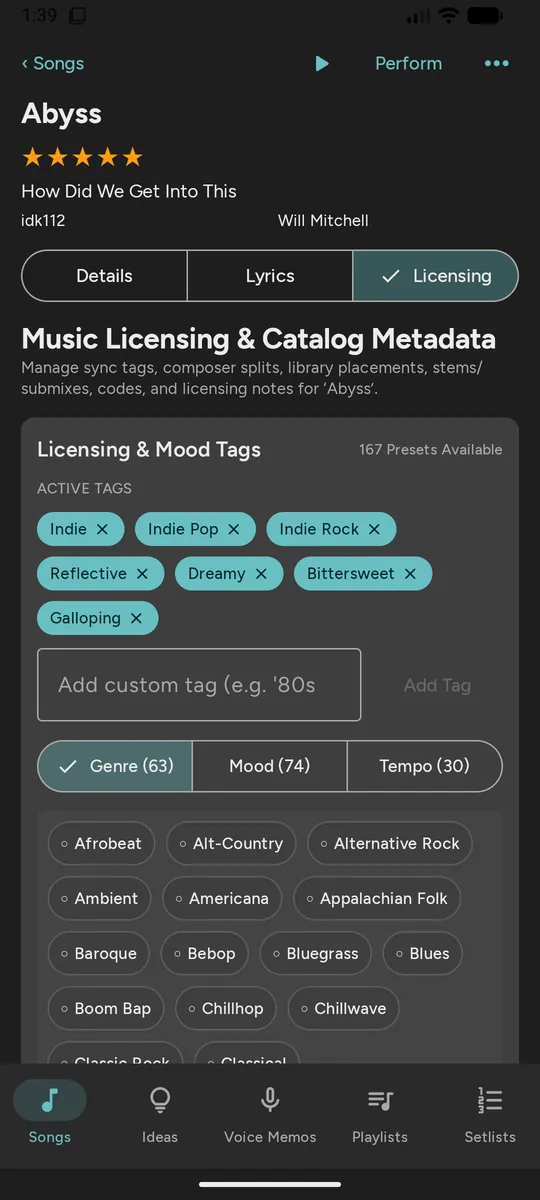
  • Genre, mood and tempo tags, from 167 presets or your own
  • Composers, ownership splits, PRO, publisher, ISRC and ISWC
  • Catalog and library placements, with splits and exclusivity
  • Copyright details, stems and submixes, and licensing notes
The Licensing tab on iPhone for Abyss, with active mood and genre tags
The Licensing tab on iPad with genre, mood and tempo presets and composer splits
The Licensing tab on Android with genre, mood and tempo tags

Lyrics, chords and rough drafts

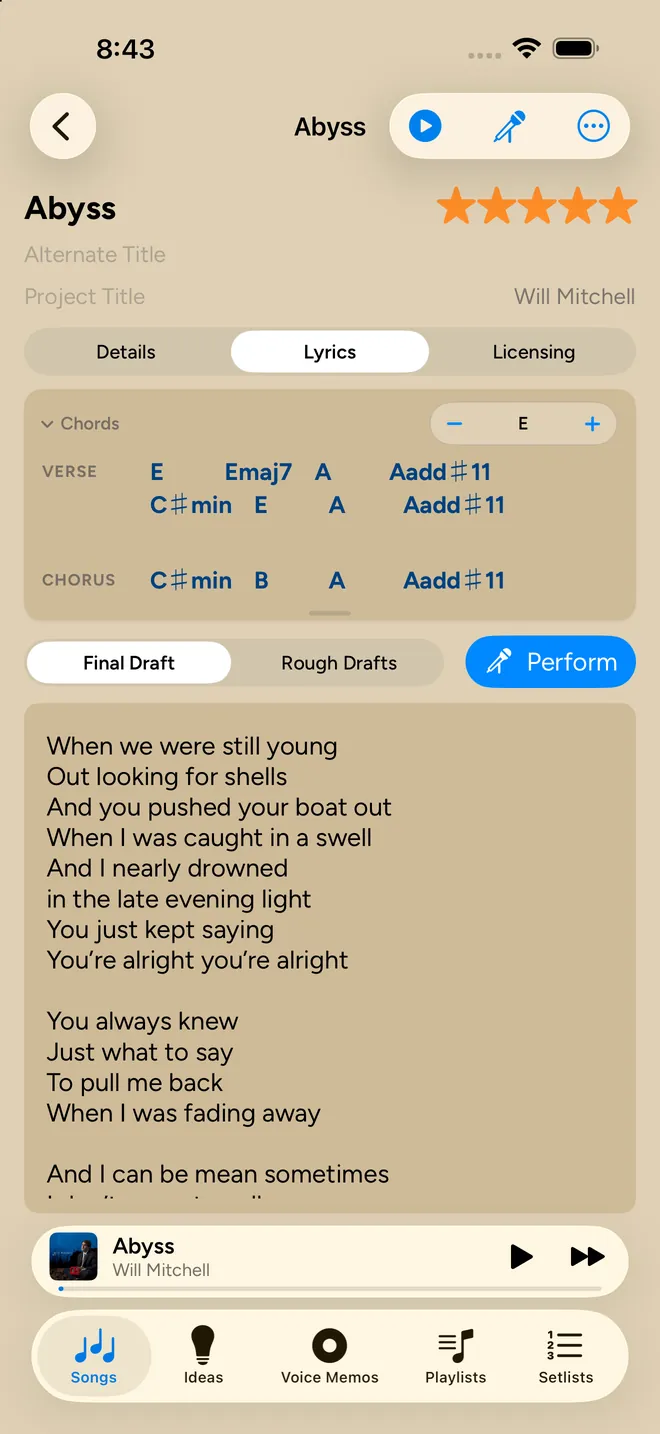
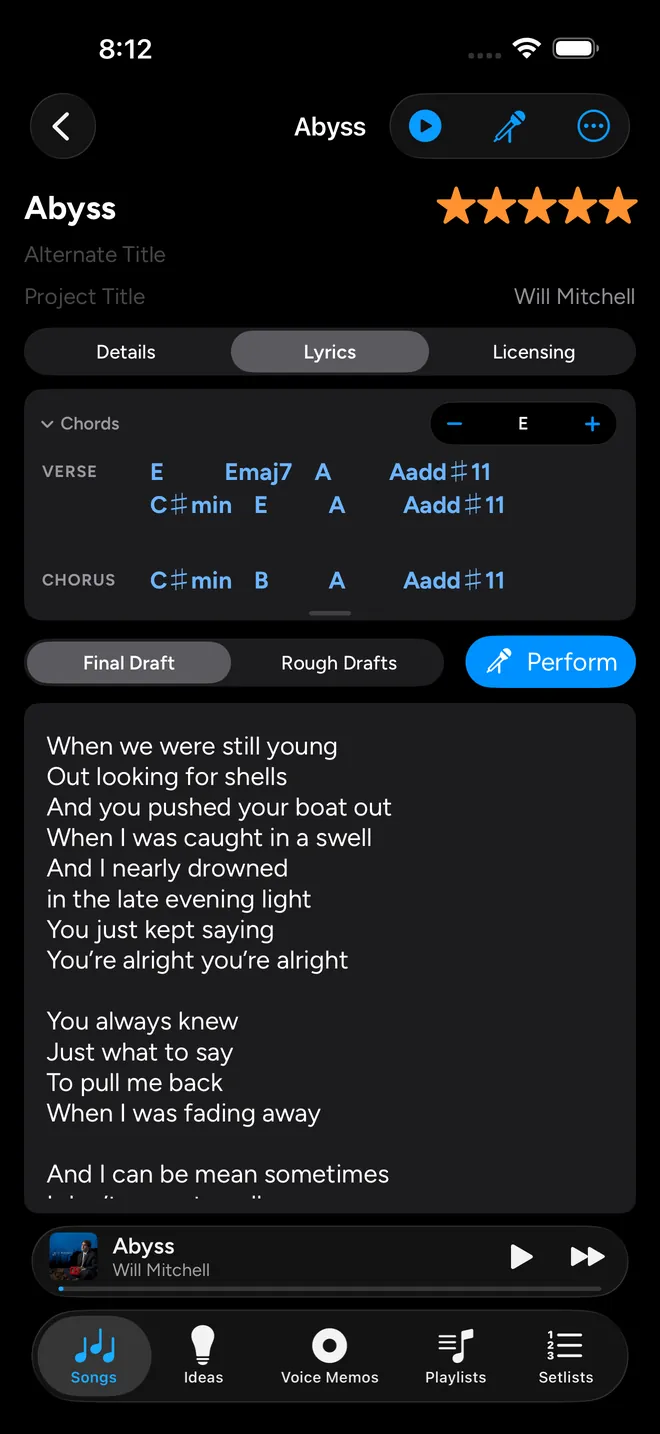
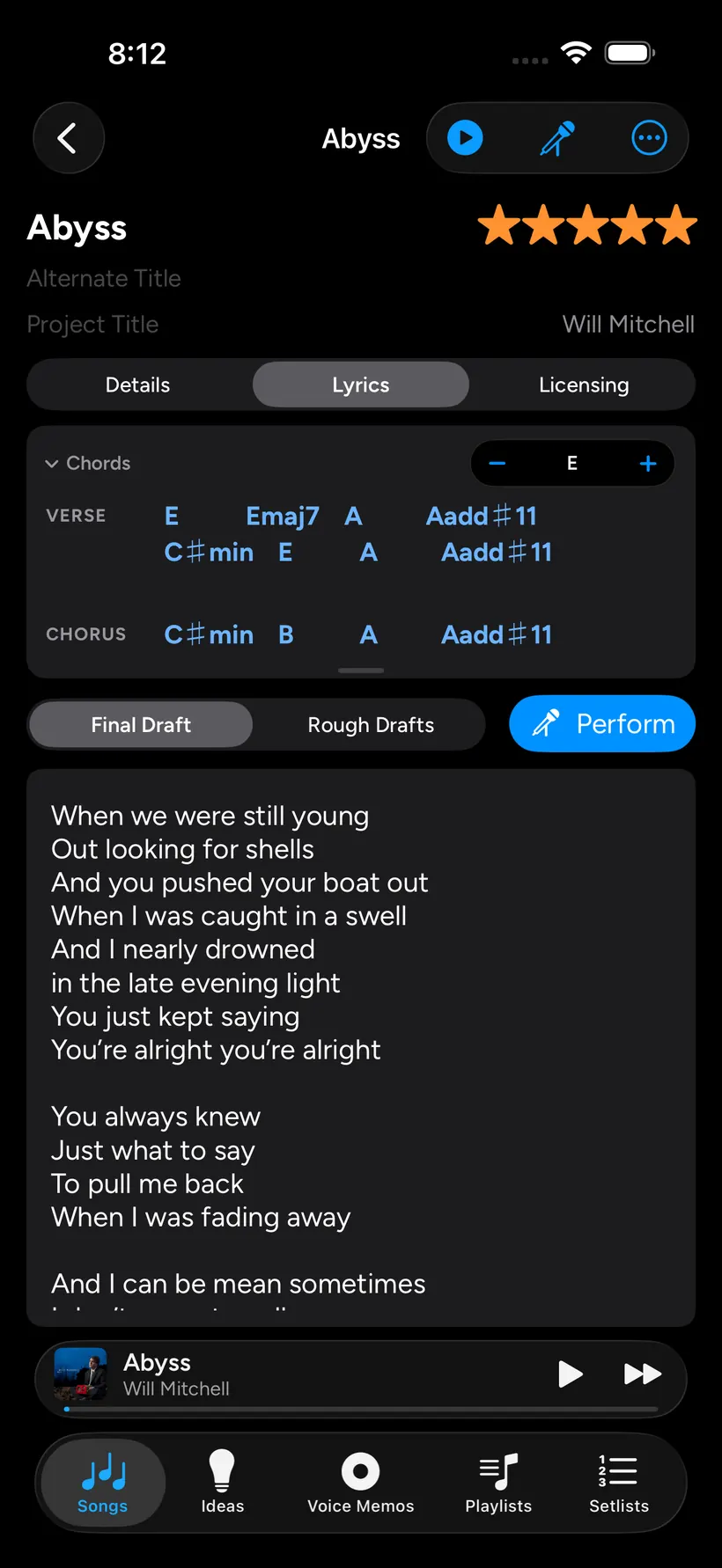
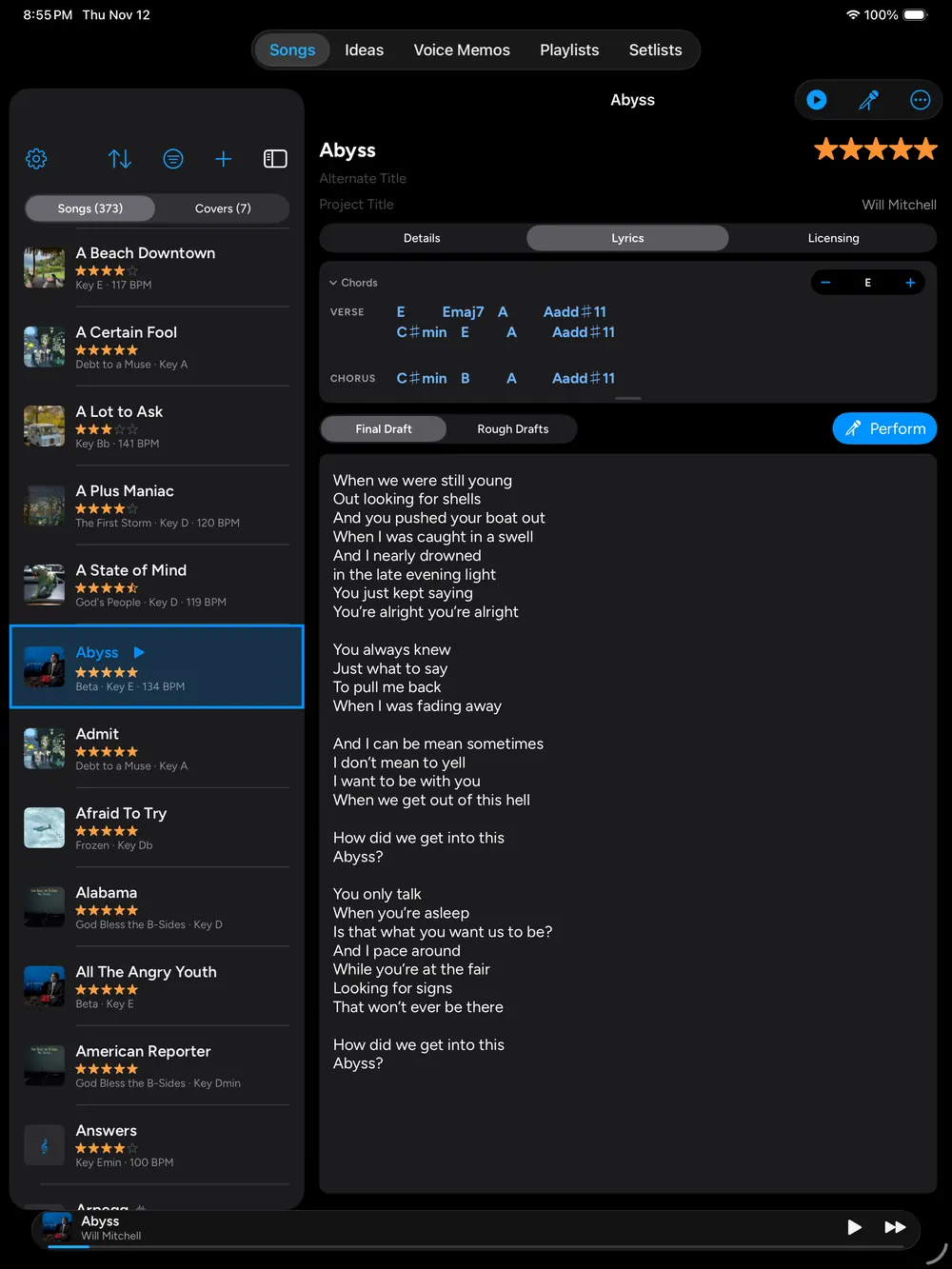
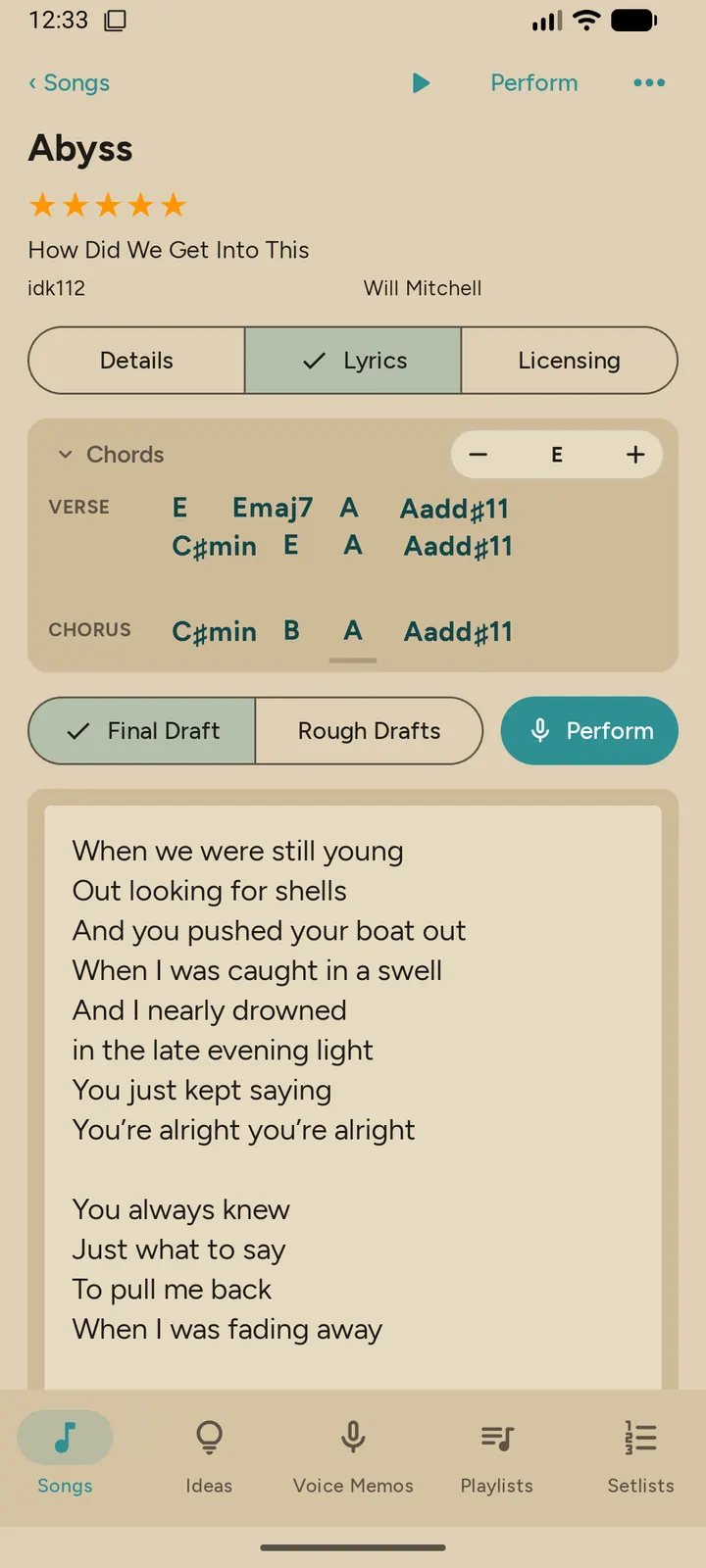
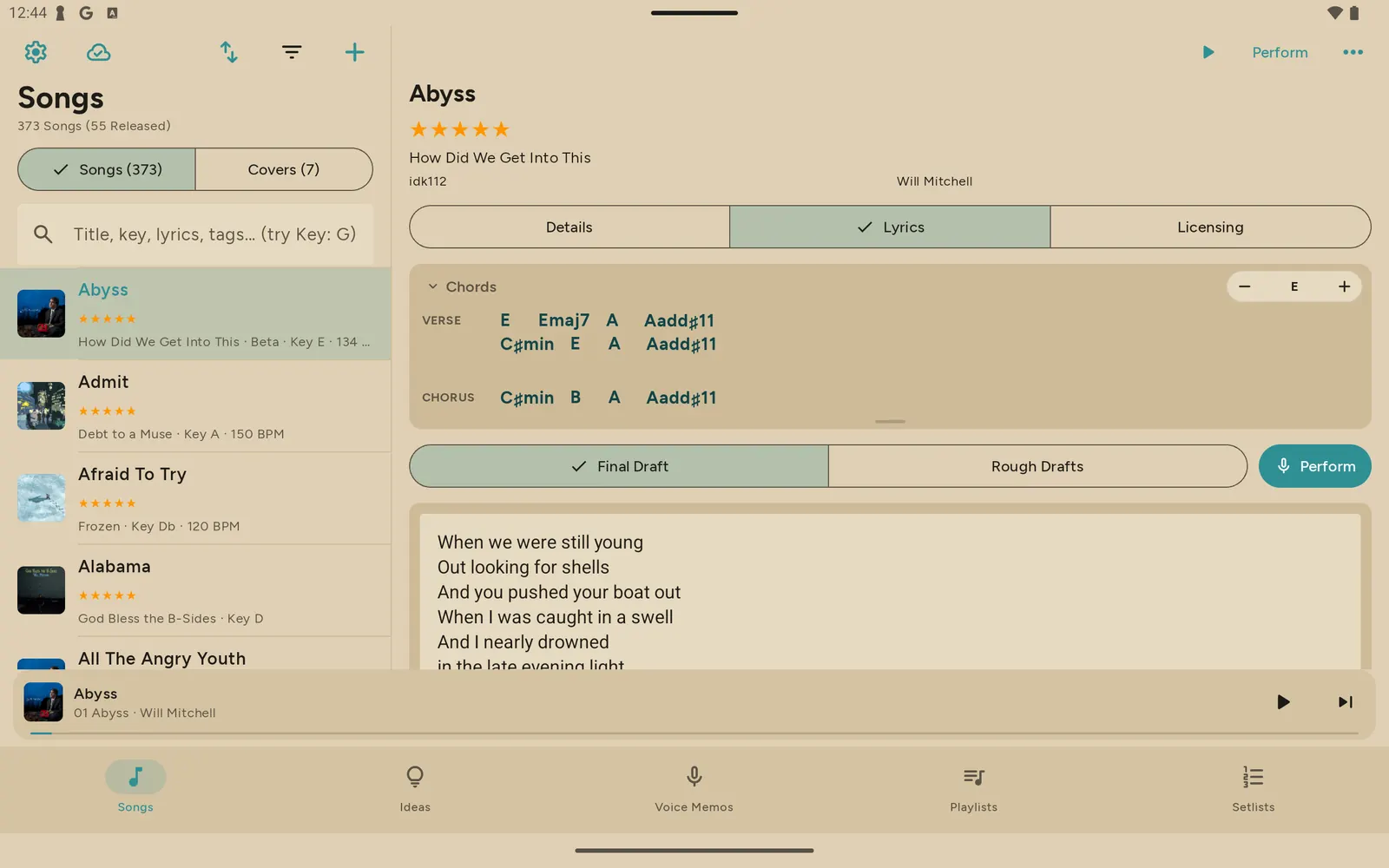
Keep the chord chart above the words and transpose it in one tap. Look up chord voicings as you write. Your final draft and every rough draft stay together, so nothing you cut is ever lost.

The Lyrics tab on iPhone for Abyss, with the chord chart above the final draft and a transpose control

Performance Mode

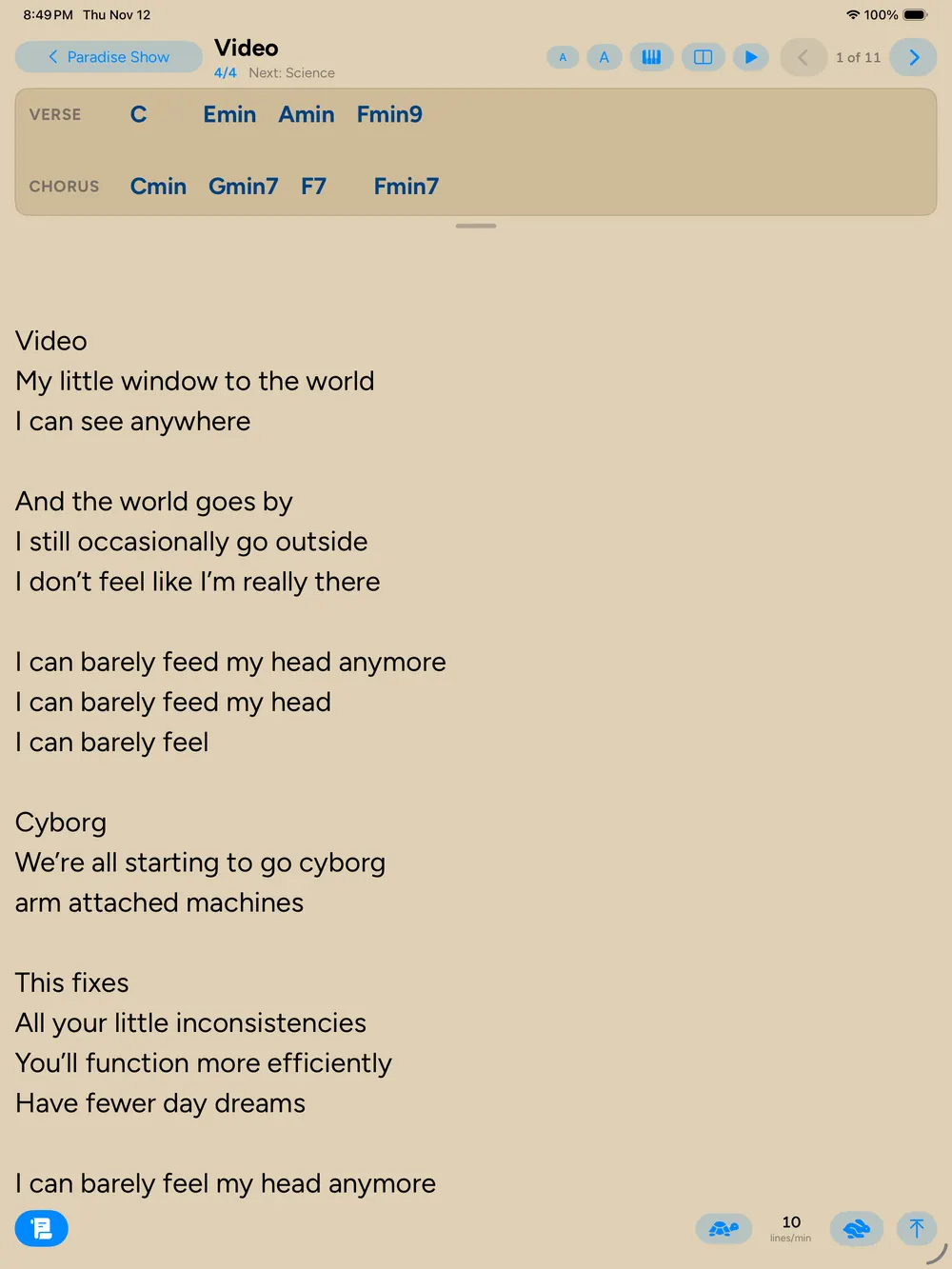
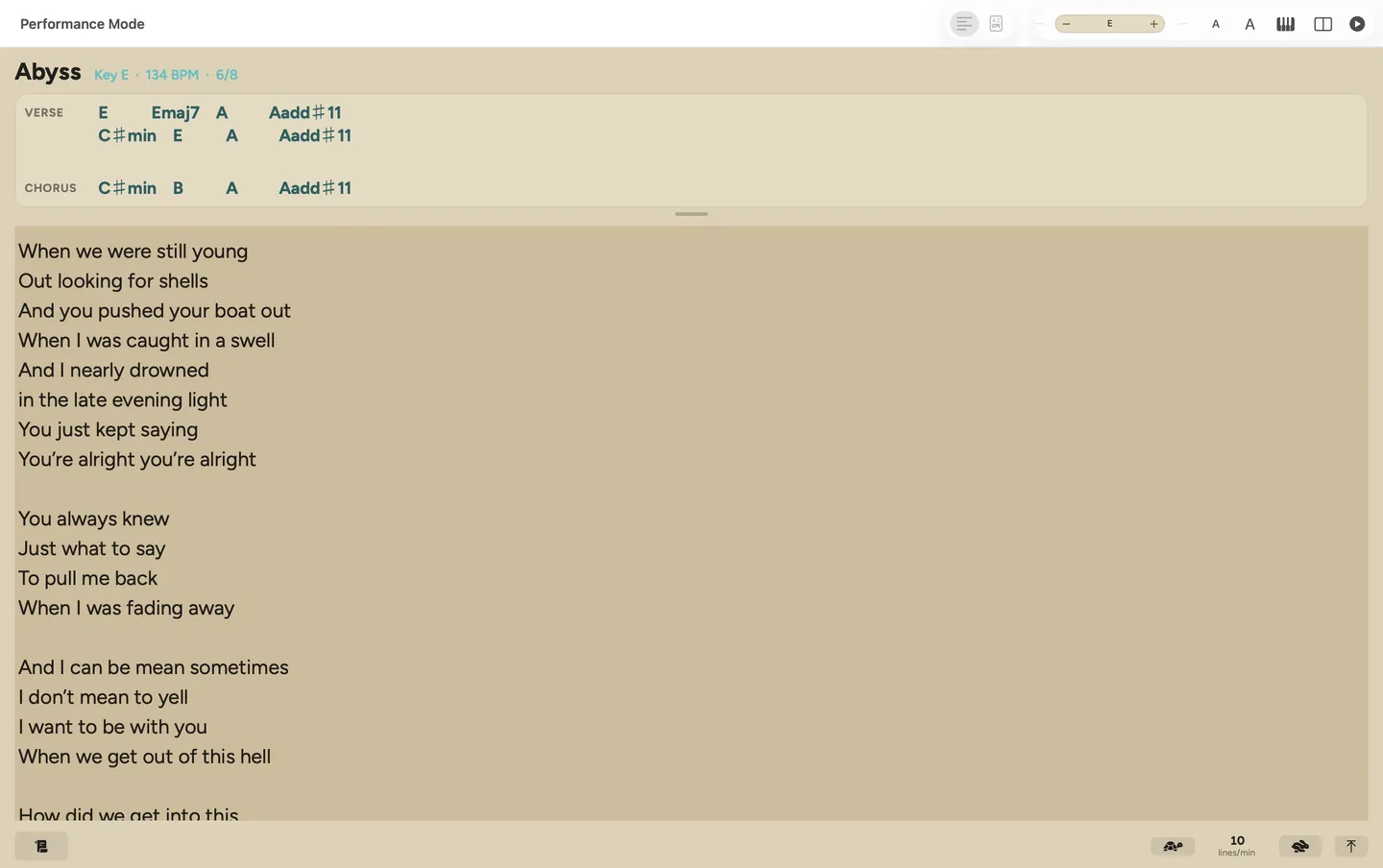
Large lyrics and chords that are easy to read from a mic stand. Lyrics scroll on their own at the speed you set in lines per minute, and you can make the text bigger or smaller as you go. PDFs scroll too.

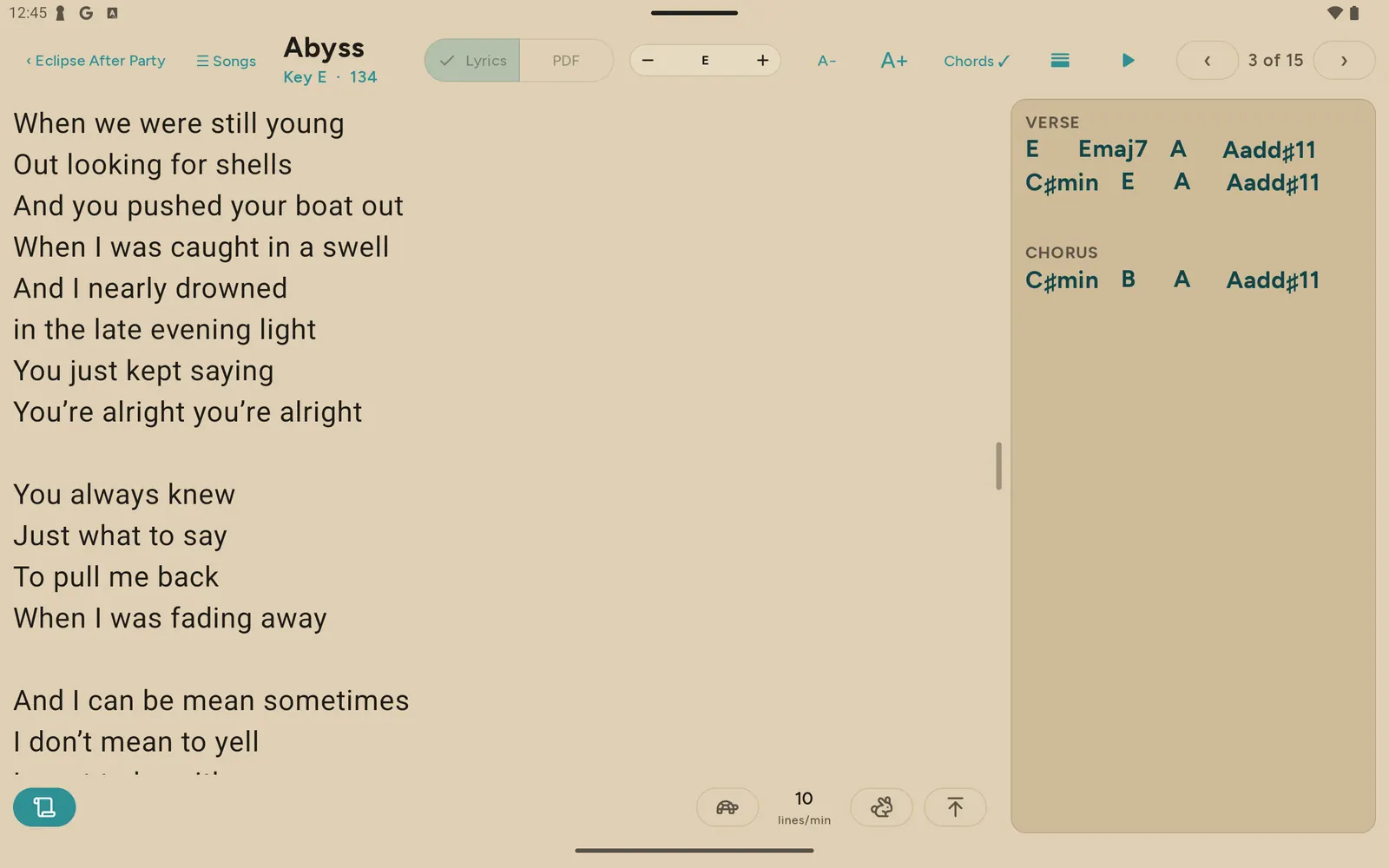
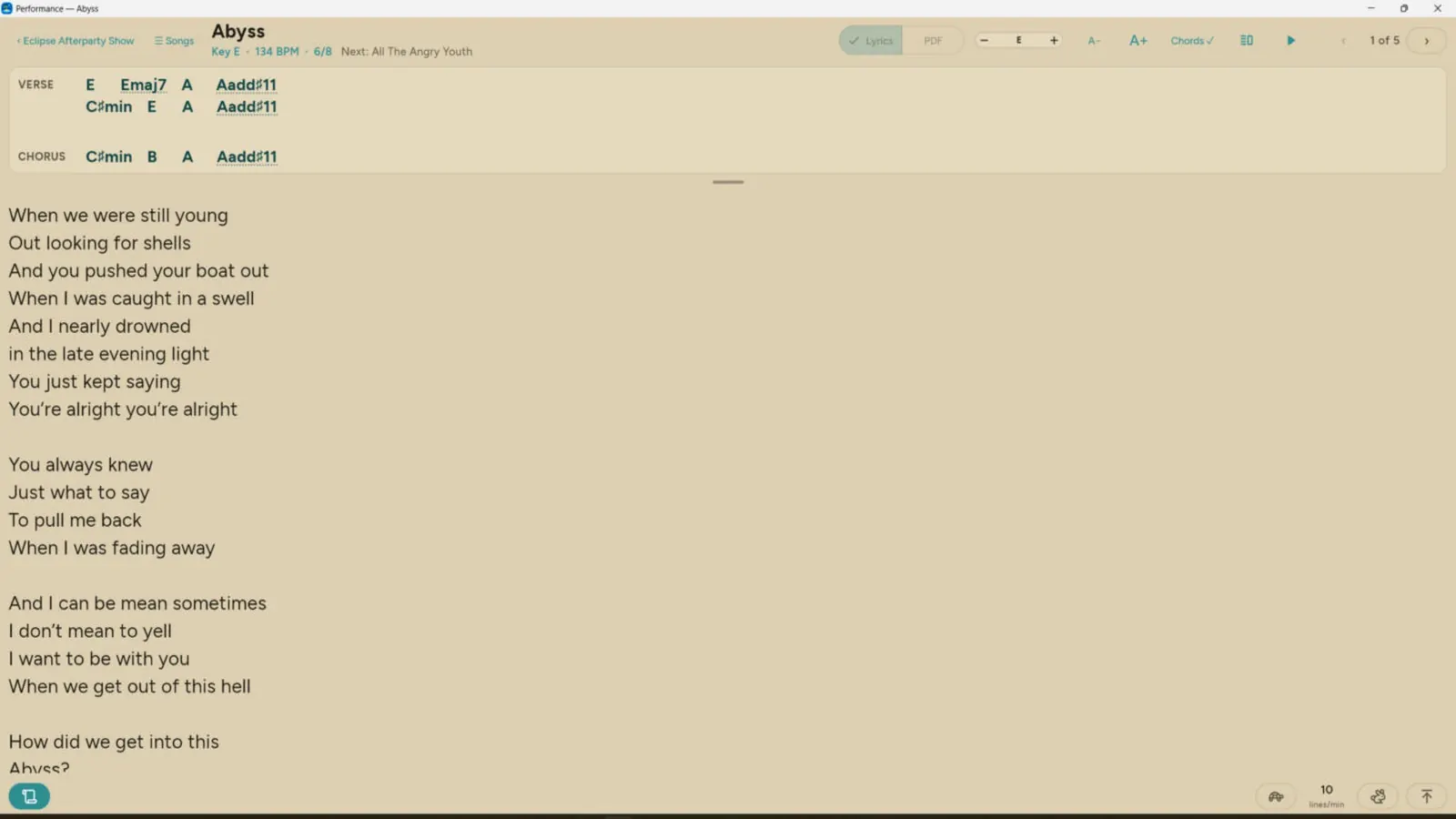
Performance Mode on Mac showing the song Abyss with chords, large lyrics and a lines-per-minute scroll control

Playlists and setlists

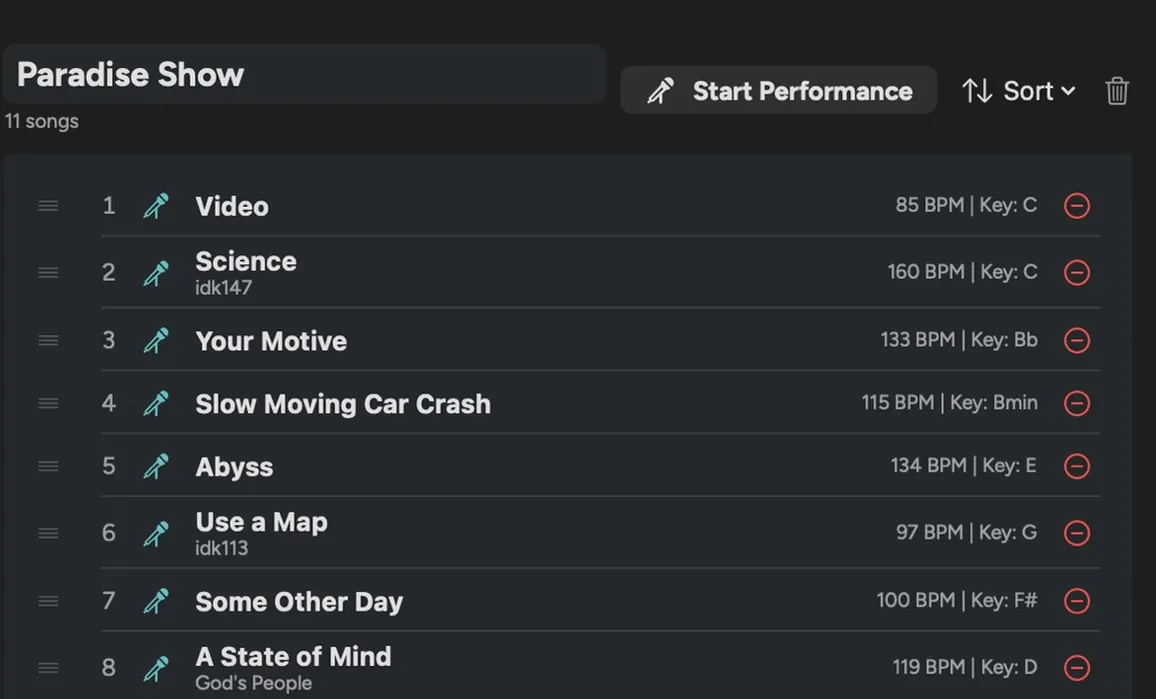
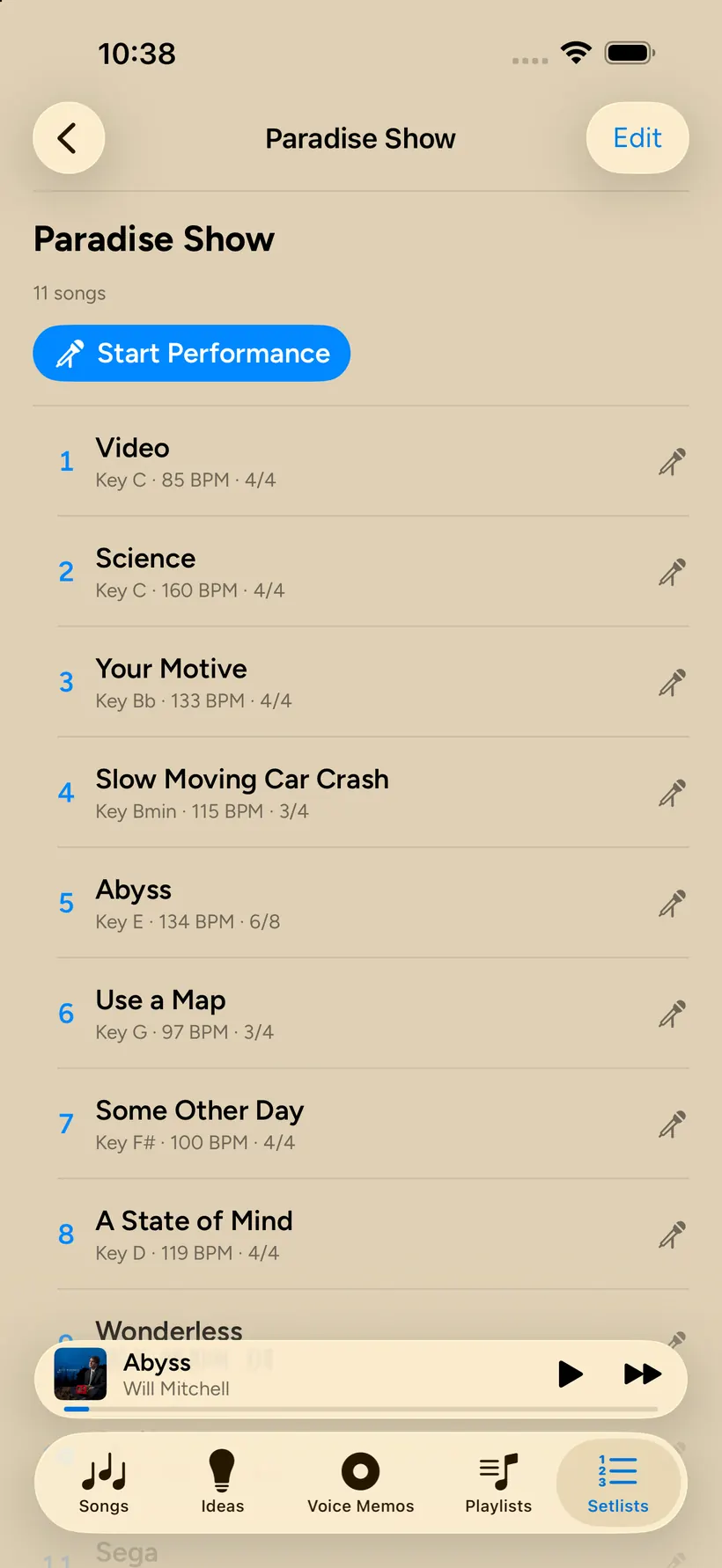
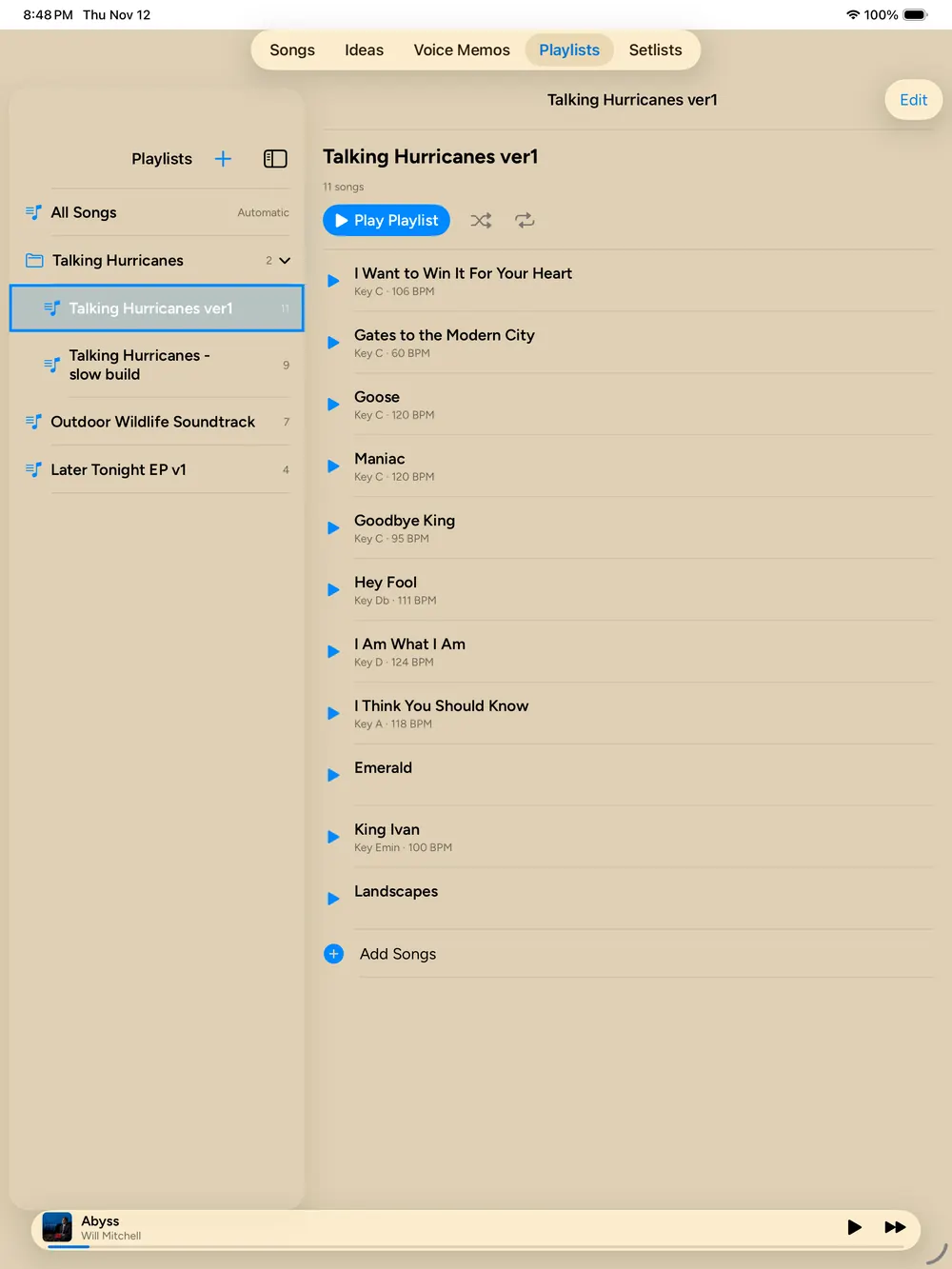
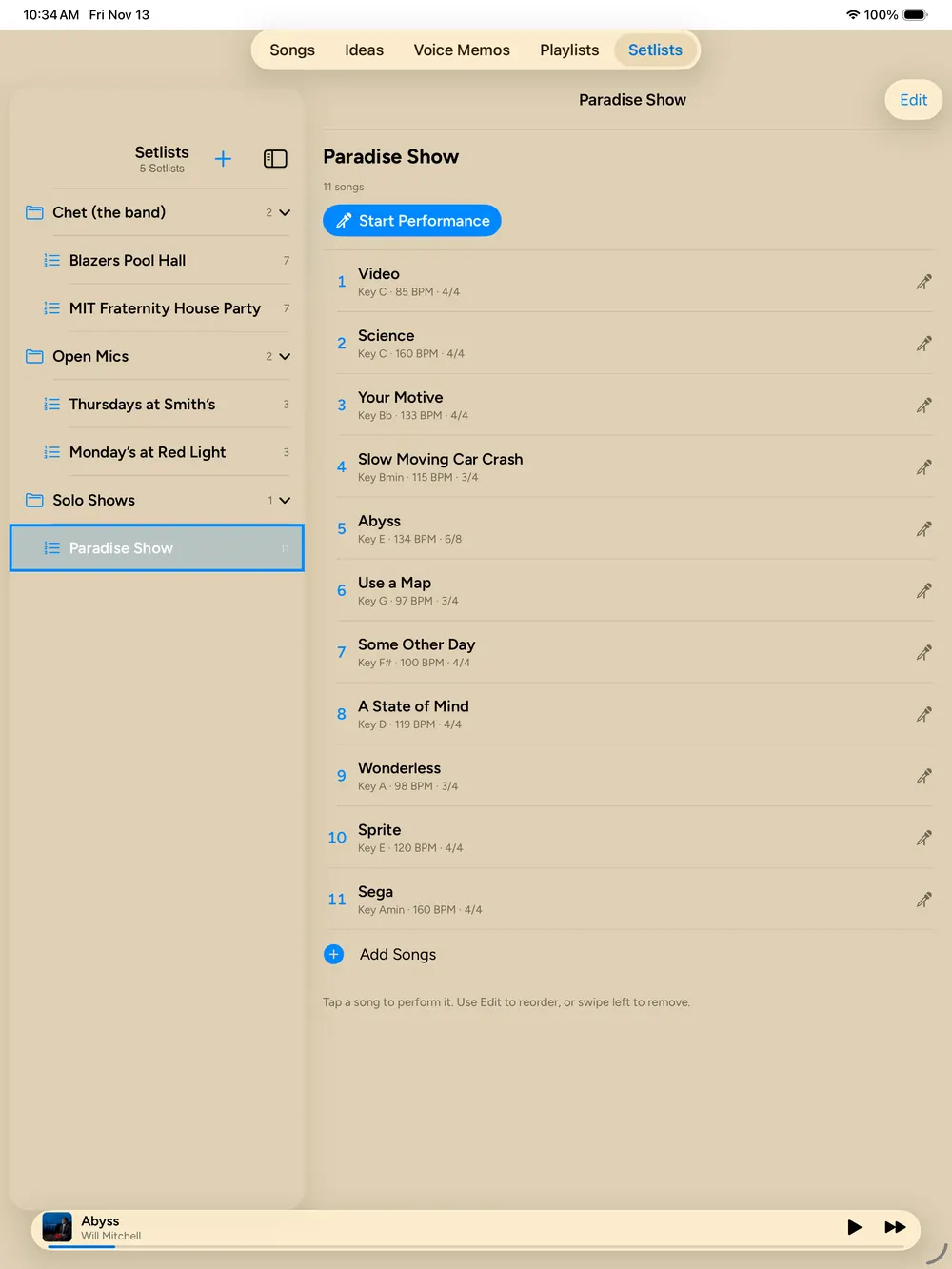
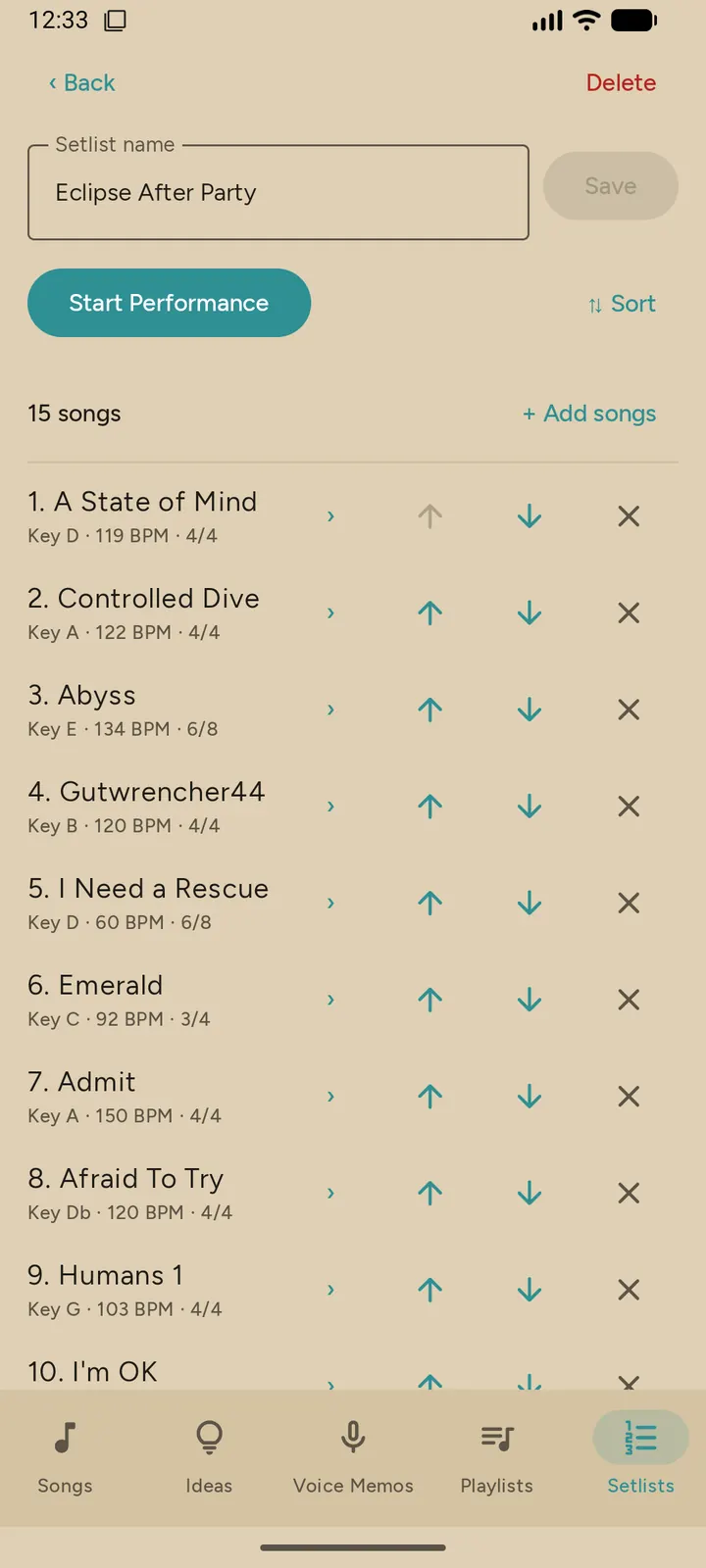
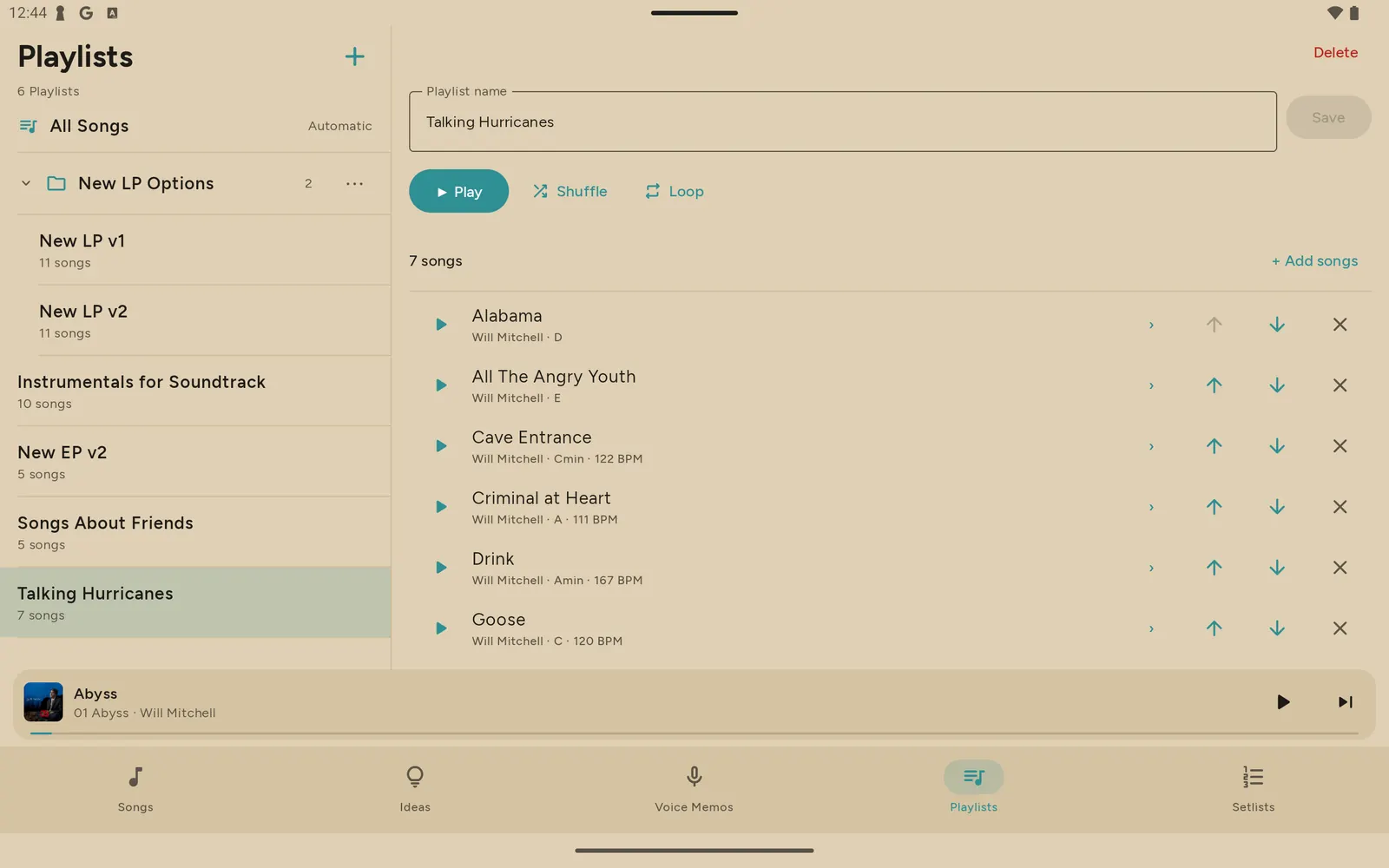
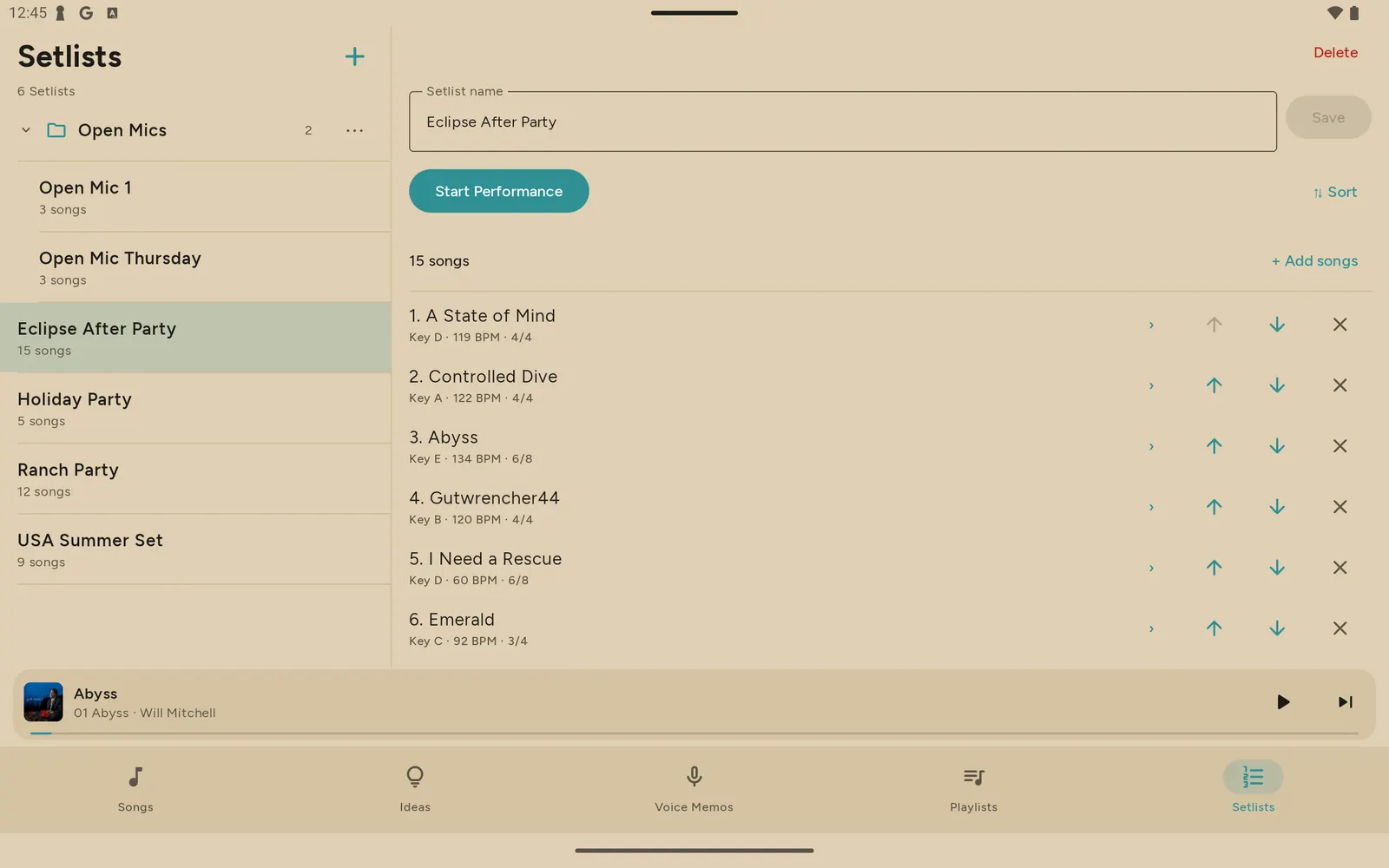
Use playlists to hear an album take shape before you record it. Build setlists for a gig, mix in the covers you play, then start Performance Mode right from the setlist. Group playlists and setlists into folders to keep a big catalog tidy.

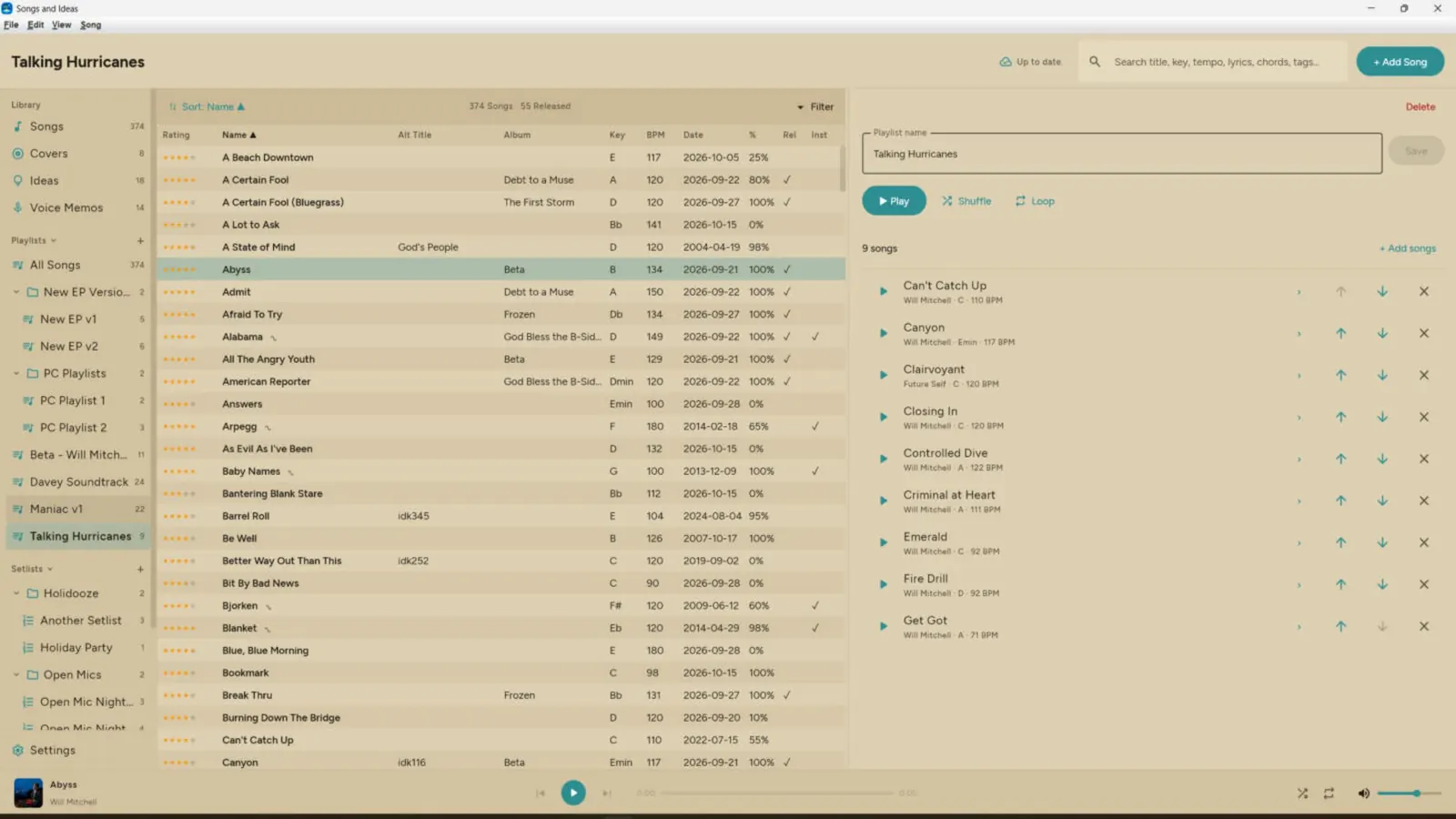
A playlist on Mac with its songs in order and a Play Playlist button
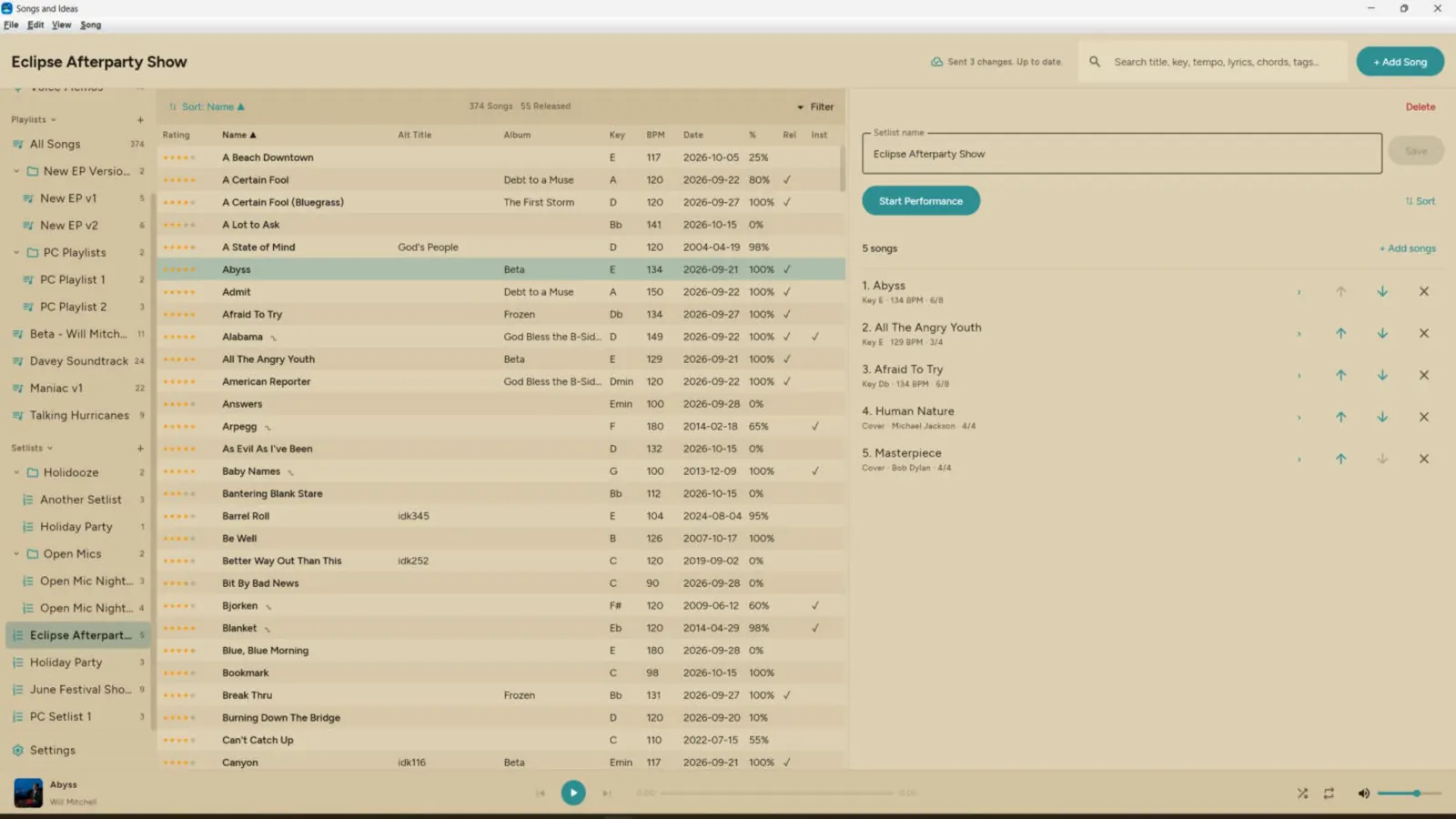
The setlist Paradise Show on Mac with a Start Performance button

A scratchpad for ideas

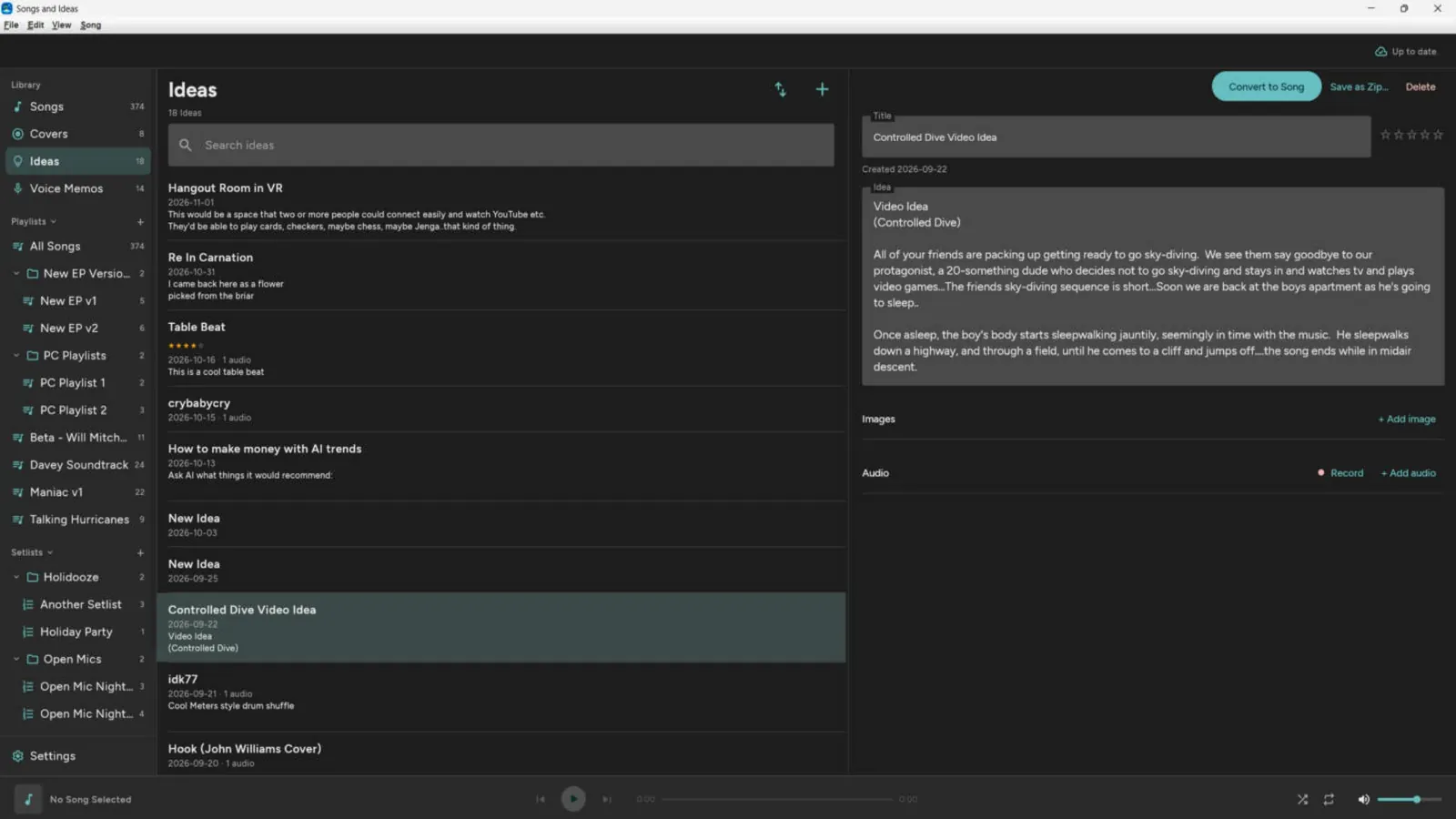
Not every idea is a song yet. Jot it down in Ideas, attach a voice memo or a picture, and turn it into a song with one tap when it's ready.

An idea on iPhone with its lyrics, a voice memo and photos

On every device

Songs and Ideas runs on iPhone, iPad, Mac, Android and Windows. Choose where your library lives the first time you open the app: iCloud (Apple devices), Google Drive (every device), or this device only. Synced libraries keep the song you started on your iPhone waiting on your Mac, and the setlist you built at home in your pocket at the gig. A Local Vault keeps a copy of everything in a folder you control.

The song Abyss open on Mac and on iPhone at the same time

And more

  • Send Song Send a copy of a song, with its audio, lyrics and chords, to a bandmate by AirDrop, Messages or Mail.
  • Chord voicings See how a chord is fingered while you write.
  • Trim audio Cut a demo down to the good part without leaving the app.
  • Folders Organize playlists and setlists into folders.
  • Google Drive sync Prefer Drive to iCloud? Use it as your home base.
  • Local Vault A plain-folder copy of your library that you own.

See it in action

A short walkthrough of writing, recording and performing a song with Songs and Ideas.

Walkthrough coming soonThe video will appear here before launch.
Songs and Ideas app icon

Coming soon to every platform

Songs and Ideas is in the works for iPhone, iPad, Mac, Android and Windows. Leave your email and we'll tell you the day it's out.